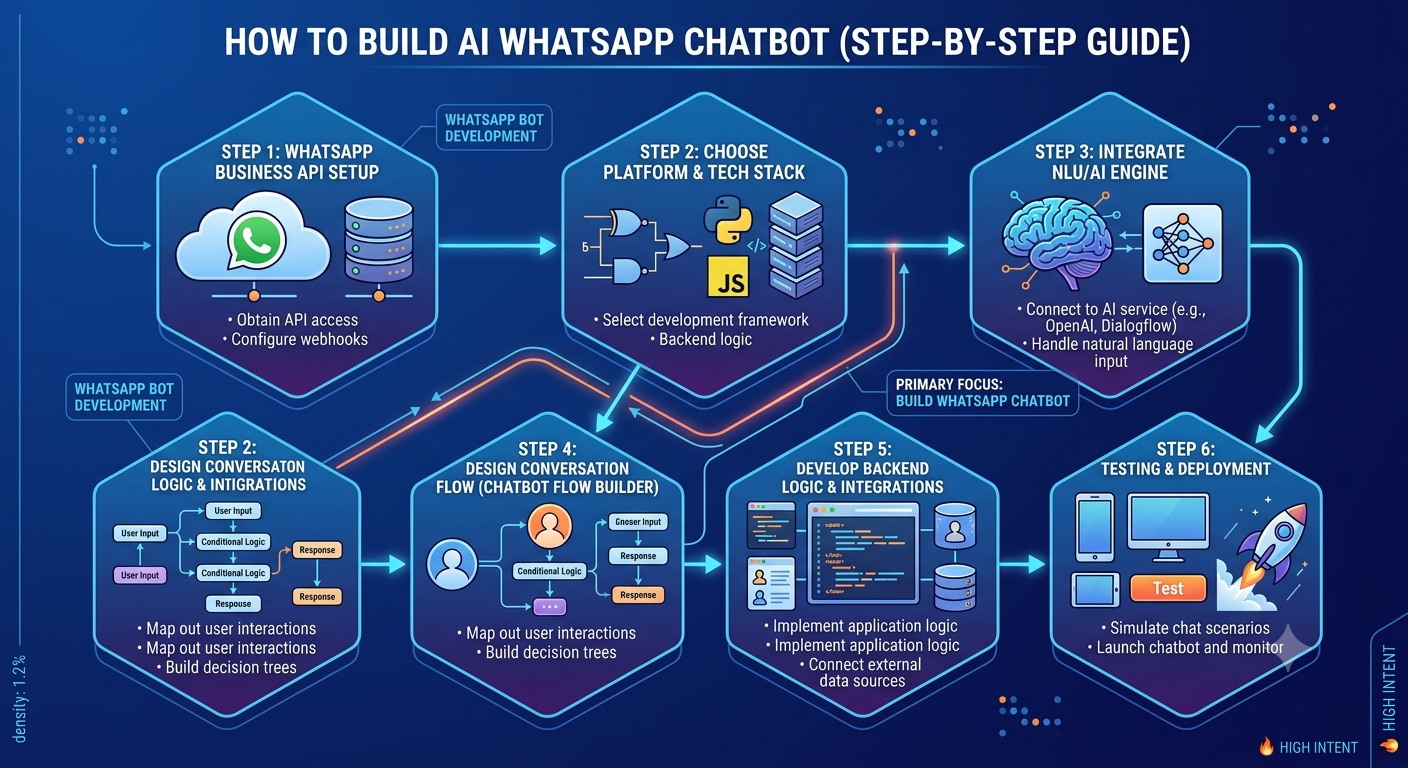
🤖 How to Build an AI WhatsApp Chatbot: Step-by-Step Guide for Businesses
Customer expectations have changed dramatically. People want instant replies, personalized recommendations, and 24/7 support—all through their favorite messaging app: WhatsApp.
This is why businesses across industries are investing in AI-powered chatbots. If you're planning to build a WhatsApp chatbot, this guide will walk you through everything you need to know—from selecting the right platform to creating intelligent conversation flows and integrating AI.
Whether you're a startup, eCommerce store, healthcare provider, educational institution, or enterprise, this guide will help you understand WhatsApp bot development and create an intelligent chatbot that improves customer engagement while reducing manual workload.
Why Build an AI WhatsApp Chatbot?
Traditional customer support teams often struggle with repetitive questions and increasing customer inquiries. An AI chatbot solves this by automating conversations while delivering fast and personalized responses.
Businesses build AI WhatsApp chatbots to:
- Offer 24/7 customer support
- Generate and qualify leads
- Automate sales conversations
- Book appointments
- Share product information
- Handle FAQs instantly
- Reduce support costs
- Improve customer satisfaction
What You Need Before You Build a WhatsApp Chatbot
Before starting WhatsApp bot development, you'll need a few essential components.
✅ WhatsApp Business API
The WhatsApp Business API is designed for medium and large businesses that want to automate conversations and integrate WhatsApp with business systems.
✅ AI Chatbot Platform
Choose a chatbot platform that supports:
- AI-powered conversations
- WhatsApp Business API integration
- CRM connectivity
- Flow builder
- Analytics dashboard
- Live agent handover
✅ Verified Business Account
A verified WhatsApp Business account helps establish trust and unlock advanced messaging capabilities.
✅ Business Knowledge Base
Prepare information that your chatbot can use, including:
- Products and services
- Pricing
- FAQs
- Business hours
- Contact information
- Policies
- Support documentation
Step 1: Define Your Business Goals
The first step to build a WhatsApp chatbot is identifying what you want it to accomplish.
Common objectives include:
- Customer support
- Lead generation
- Appointment scheduling
- Order tracking
- Product recommendations
- Payment assistance
- Customer onboarding
Having clear goals helps you design effective chatbot conversations.
Step 2: Choose the Right WhatsApp Chatbot Platform
Not all chatbot platforms offer the same features.
Look for a solution that includes:
- Official WhatsApp Business API
- AI-powered chatbot engine
- Visual chatbot flow builder
- CRM integration
- Multi-agent support
- Analytics and reporting
- API access
- Secure cloud hosting
A scalable platform ensures your chatbot can grow with your business.
Step 3: Design Your Chatbot Conversation Flow
One of the most important parts of WhatsApp bot development is creating a logical conversation structure.
Start with common customer questions.
Example conversation:
Customer:
I want Bulk SMS pricing.
Chatbot:
- Welcome message
- Ask business type
- Recommend suitable plan
- Collect customer details
- Connect to sales team
Well-designed chatbot flows improve customer experience and increase conversions.
Step 4: Use a Chatbot Flow Builder
A chatbot flow builder allows businesses to create automated conversations using a visual interface without extensive coding.
With a flow builder, you can:
- Create welcome messages
- Add buttons and quick replies
- Build FAQs
- Collect customer information
- Route conversations
- Trigger workflows
- Assign chats to live agents
Flow builders make chatbot management faster and easier for both technical and non-technical teams.
Step 5: Integrate Artificial Intelligence
AI transforms a basic chatbot into an intelligent virtual assistant.
AI capabilities include:
- Natural Language Processing (NLP)
- Intent recognition
- Context-aware responses
- Personalized recommendations
- Learning from conversations
- Smart search across knowledge bases
Instead of matching exact keywords, AI understands what customers actually mean.
Step 6: Connect Your Business Systems
Your chatbot becomes significantly more powerful when integrated with business software.
Popular integrations include:
CRM Systems
Automatically retrieve customer information.
E-commerce Platforms
Share product details, prices, and order updates.
Payment Gateways
Provide payment links and transaction confirmations.
ERP Software
Access inventory and order management.
Helpdesk Platforms
Transfer conversations to customer support agents.
Step 7: Train Your AI Chatbot
Training improves chatbot accuracy.
Provide examples of customer questions like:
- What are your pricing plans?
- How do I register?
- Where is my order?
- Can I schedule a demo?
- How can I contact support?
The more examples the chatbot receives, the better it understands customer intent.
Step 8: Test Every Conversation
Before launching, thoroughly test your chatbot.
Check:
- Welcome messages
- FAQ responses
- AI accuracy
- Button functionality
- CRM integrations
- Order tracking
- Lead capture
- Live agent transfer
Testing prevents customer frustration and improves overall performance.
Step 9: Launch Your AI WhatsApp Chatbot
Once testing is complete, publish your chatbot on WhatsApp.
Monitor:
- Customer satisfaction
- Response time
- Conversation completion
- Lead generation
- Conversion rates
- Frequently asked questions
Continuous optimization ensures long-term success.
Best Practices for WhatsApp Bot Development
To create an effective chatbot:
Keep Conversations Natural
Write responses that sound human rather than robotic.
Personalize Every Interaction
Use customer names, previous purchases, and conversation history whenever possible.
Provide a Human Handover Option
Allow customers to speak with a live agent for complex issues.
Update Knowledge Regularly
Keep product information and FAQs up to date.
Monitor Analytics
Track chatbot performance and improve weak conversation paths.
Common Mistakes to Avoid
Many businesses make avoidable mistakes when they build a WhatsApp chatbot.
Avoid:
- Overly complex conversation flows
- Ignoring human support escalation
- Providing generic responses
- Not updating chatbot content
- Skipping chatbot testing
- Ignoring customer feedback
- Poor CRM integration
A well-maintained chatbot delivers a significantly better customer experience.
Industries Using AI WhatsApp Chatbots
AI-powered WhatsApp chatbots are widely used across industries.
E-commerce
- Product recommendations
- Cart recovery
- Order tracking
Healthcare
- Appointment booking
- Patient reminders
- Consultation scheduling
Education
- Admission inquiries
- Student support
- Fee reminders
Real Estate
- Property recommendations
- Site visit scheduling
- Lead qualification
Banking & Finance
- Account support
- Loan inquiries
- Transaction alerts
Travel & Hospitality
- Hotel bookings
- Reservation updates
- Customer assistance
Future of AI WhatsApp Chatbots
Artificial Intelligence is rapidly changing business communication.
Future chatbots will feature:
- Voice conversations
- Predictive customer support
- AI-generated product recommendations
- Sentiment analysis
- Hyper-personalized customer journeys
- Deeper CRM integrations
Businesses adopting AI automation today will gain a competitive advantage in customer engagement.