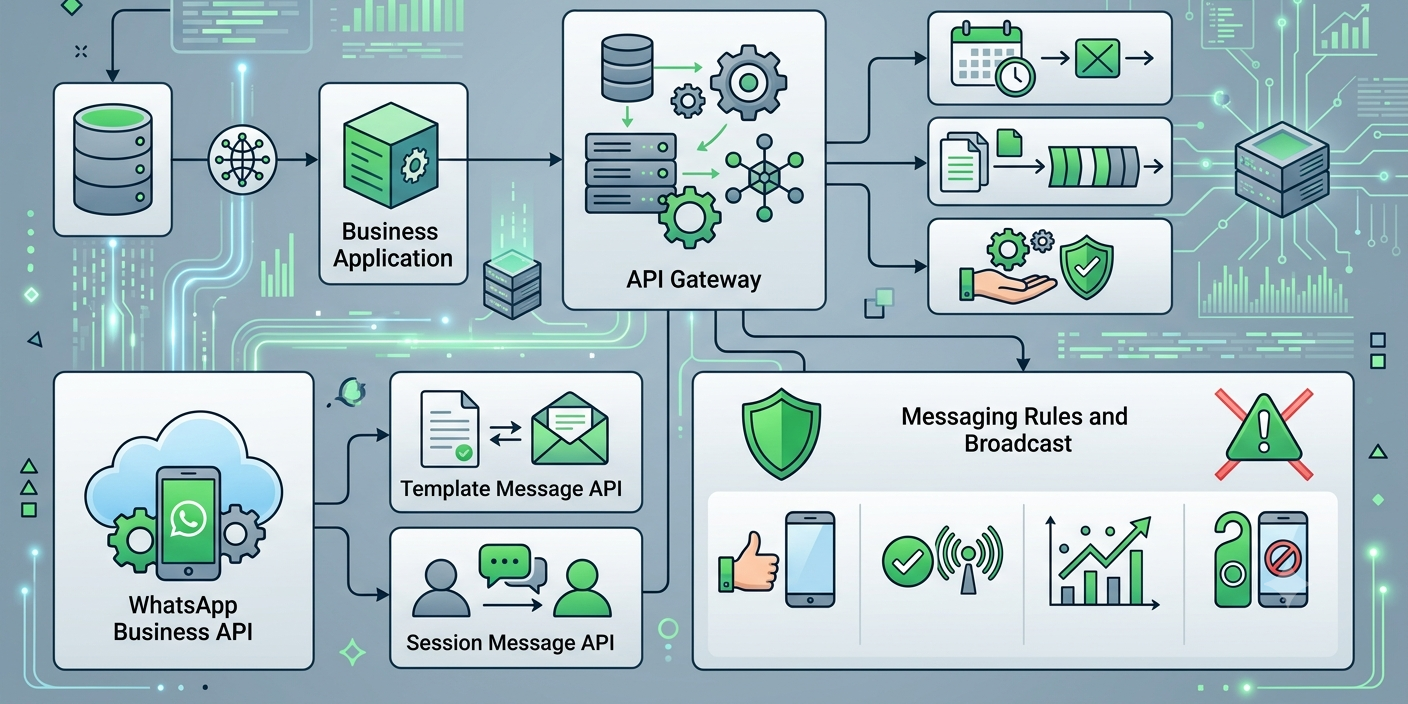
📱 How to Send Bulk WhatsApp Messages Using API the Right Way
WhatsApp has become one of the most powerful business communication channels in the world. With billions of active users, businesses now use WhatsApp to send order updates, promotional campaigns, appointment reminders, OTPs, customer support messages, and more.
As businesses scale, manually sending messages becomes impractical. This is where a bulk WhatsApp message API helps organizations automate communication and reach thousands of opted-in customers efficiently.
However, WhatsApp maintains strict messaging policies to protect users from spam. Businesses that fail to follow these guidelines risk reduced message quality ratings, delivery limitations, or account restrictions.
In this guide, you'll learn how to send bulk WhatsApp messages using API professionally while following WhatsApp bulk messaging rules and best practices.
🤔 What Is a Bulk WhatsApp Message API?
A bulk WhatsApp message API enables businesses to send large volumes of messages through the official WhatsApp Business API infrastructure.
Common use cases include:
✅ Promotional campaigns
✅ Order confirmations
✅ Delivery notifications
✅ Appointment reminders
✅ Event updates
✅ Customer support communication
✅ Marketing automation workflows
Unlike the standard WhatsApp Business App, the API supports automation, CRM integrations, chatbots, analytics, and scalable messaging.
🚀 Why Businesses Use WhatsApp API for Bulk Messaging
Businesses prefer WhatsApp because customers actively engage with messages on the platform.
Benefits include:
- Higher engagement rates
- Faster communication
- Personalized messaging
- Automation capabilities
- Rich media support
- Interactive customer journeys
For industries such as e-commerce, healthcare, education, travel, and real estate, WhatsApp has become a critical communication channel.
📋 Understanding WhatsApp Bulk Messaging Rules
Before sending campaigns, businesses must understand the core WhatsApp bulk messaging rules.
WhatsApp prioritizes user experience and discourages unsolicited messaging.
Key principles include:
✔ Obtain Customer Consent
Customers should voluntarily agree to receive messages from your business.
Examples:
- Website opt-in forms
- Lead generation forms
- Customer registrations
- Subscription checkboxes
Permission-based communication improves engagement and trust.
✔ Send Relevant Messages
Messages should provide value to recipients.
Examples include:
- Offers related to previous purchases
- Account updates
- Service reminders
- Product recommendations
Irrelevant campaigns can negatively affect engagement.
✔ Respect User Preferences
Allow customers to manage communication preferences and easily stop receiving messages if they choose.
✔ Follow Approved Template Guidelines
Businesses typically use approved message templates for initiating conversations.
Templates should be:
- Clear
- Professional
- Useful
- Non-misleading
⚙️ Step-by-Step Process to Send Bulk WhatsApp Messages
Step 1: Get WhatsApp Business API Access
To begin, businesses need:
- A verified business profile
- WhatsApp Business API access
- Meta Business verification
- A dedicated business phone number
Many companies work with a WhatsApp Business Solution Provider (BSP) to simplify setup.
Step 2: Build an Opt-In Customer Database
The quality of your database is critical.
Good sources include:
- Website registrations
- Existing customers
- Event registrations
- Inquiry forms
- Loyalty programs
Focus on collecting customers who genuinely want to hear from your business.
Step 3: Create Approved Message Templates
Templates may include:
📦 Transactional Messages
- Order confirmations
- Delivery updates
- Appointment reminders
🎯 Promotional Messages
- Product launches
- Seasonal offers
- Discount campaigns
🔔 Service Notifications
- Payment reminders
- Subscription updates
- Event notifications
Step 4: Integrate Your CRM or Marketing Platform
Most businesses connect WhatsApp with:
- Zoho CRM
- Salesforce
- HubSpot
- Shopify
- WooCommerce
- Custom ERP systems
This allows automated and personalized communication.
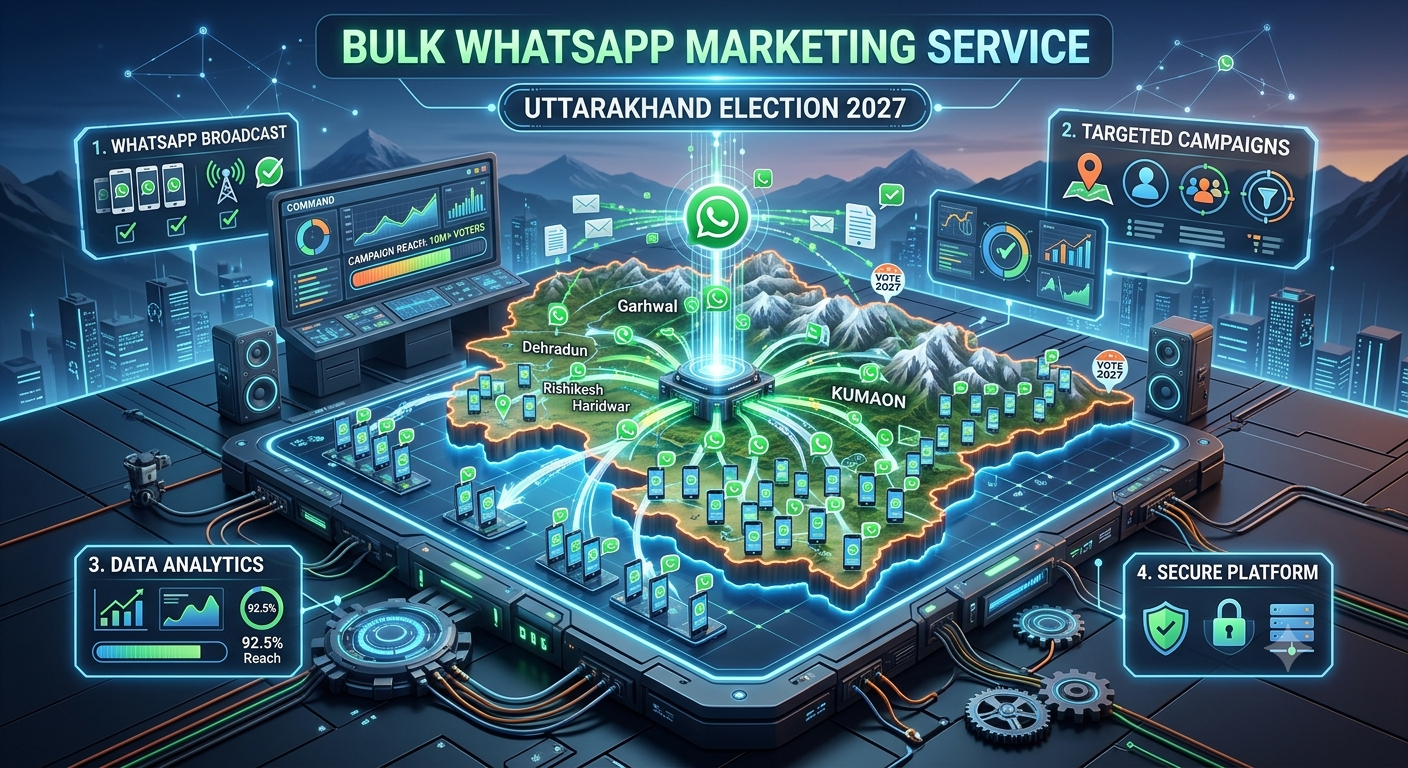
Step 5: Launch Campaigns Using WhatsApp Broadcast API
Using a WhatsApp broadcast API, businesses can:
- Segment audiences
- Schedule campaigns
- Personalize messages
- Monitor performance
- Automate follow-ups
Segmentation is essential for maintaining message relevance.
🎯 Best Practices for High Message Delivery
Personalize Every Message
Customers respond better to personalized communication.
Examples:
- Customer name
- Order details
- Location-specific offers
- Purchase history recommendations
Segment Your Audience
Avoid sending the same message to everyone.
Create segments based on:
- Customer interests
- Purchase behavior
- Location
- Industry
- Customer lifecycle stage
Use Rich Media
WhatsApp supports:
📸 Images
🎥 Videos
📄 PDFs
🎯 CTA Buttons
📍 Location Sharing
Rich content often generates better engagement.
Maintain Consistent Messaging Frequency
Too many messages can reduce customer engagement.
Focus on quality over quantity.
Monitor Campaign Performance
Track:
- Delivery rate
- Read rate
- Response rate
- Conversion rate
- Customer feedback
Analytics help optimize future campaigns.
🤖 Combining Bulk Messaging with Automation
Modern businesses often integrate:
- AI chatbots
- CRM workflows
- Marketing automation
- Lead nurturing systems
Examples:
E-Commerce
Send abandoned cart reminders followed by chatbot-assisted checkout support.
Healthcare
Send appointment reminders and automate patient inquiries.
Education
Deliver admission updates and course notifications.
Real Estate
Automate lead qualification and property recommendations.
🏢 Industry Use Cases
E-Commerce
- Product launches
- Order tracking
- Customer retention campaigns
Healthcare
- Appointment reminders
- Health check notifications
Education
- Student updates
- Admission campaigns
Travel
- Booking confirmations
- Trip reminders
Financial Services
- Account alerts
- Authentication notifications
⚠️ Common Mistakes Businesses Should Avoid
❌ Sending Messages Without Consent
Permission-based communication is essential.
❌ Using Irrelevant Messaging
Customers expect useful and relevant content.
❌ Ignoring Customer Feedback
Monitor responses and engagement trends.
❌ Poor Audience Segmentation
Untargeted campaigns often perform poorly.
❌ Over-Messaging
Excessive communication can reduce customer satisfaction.
📈 Future of WhatsApp Business Messaging
Businesses are increasingly investing in:
- WhatsApp automation India
- Conversational AI WhatsApp
- WhatsApp marketing software
- Customer engagement platforms
- AI-powered customer communication
As messaging becomes more personalized and automated, WhatsApp will continue to play a major role in customer engagement strategies.