
Introduction
Businesses often need to communicate with hundreds or thousands of people at once. It could be an appointment reminder, a payment notification, a school announcement, a service update or an approved promotional message. Calling every recipient manually takes time, requires additional staff and makes large-scale communication difficult to manage.
A bulk voice call service helps solve this problem by automating outbound calls and delivering a recorded voice message to a list of telephone numbers. Instead of an employee dialling each number individually, a voice broadcasting platform manages the calling process and provides reports on available call outcomes.
In India, bulk voice calling is used by businesses, educational institutions, healthcare providers, service organisations and other eligible senders for a range of communication needs. Depending on the platform, campaigns may support scheduled calls, regional-language audio, interactive voice response (IVR), keypad-based responses and API integrations.
In this guide, you will learn what a bulk voice call service is, how it works step by step, the different types of voice campaigns, the benefits and limitations, the features to evaluate in a provider, and important compliance considerations before launching a campaign.
What is a bulk voice call service?
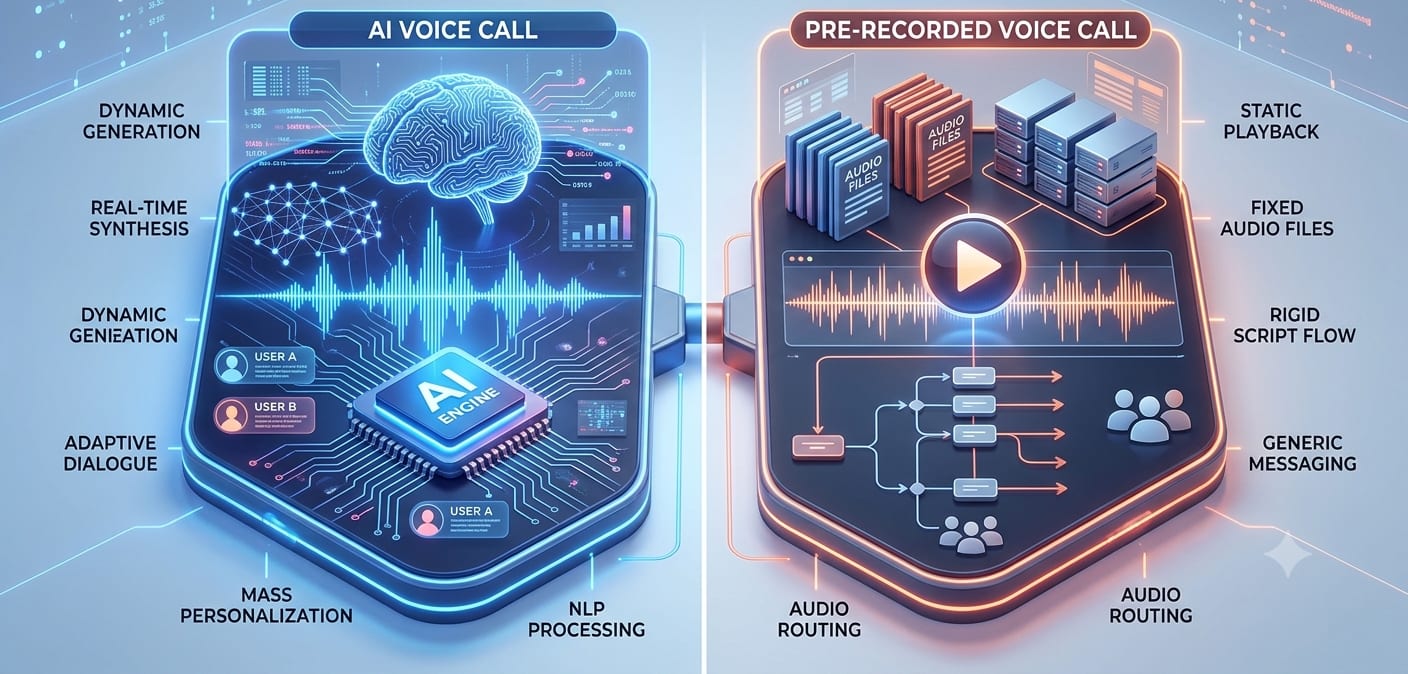
A bulk voice call service is a communication solution that automatically places outbound calls to a large list of telephone numbers and plays a recorded or otherwise supported voice message when a call is answered.
The service is also commonly described as:
Voice broadcasting service
Automated voice calling service
Bulk voice calling
Outbound dialing (OBD)
Voice blast service
Automated IVR calling, when interactive features are included
In a typical campaign, an organisation prepares an eligible contact list, records a voice message, configures the campaign and schedules the calls. The platform initiates the calls and provides available delivery and response information through a dashboard or reporting interface.
For example, a school that needs to announce a change in its timetable can prepare a short recording and distribute it to the relevant parents or guardians. The system handles the outbound calling process instead of requiring staff to contact every family manually.
The actual features depend on the provider, telecom configuration, campaign type and applicable rules.
How does bulk voice call service work in India?
Although platforms differ, the general process involves preparing the contact list, creating the message, configuring the campaign, placing the calls and reviewing the results.
Step 1: Prepare and upload the contact list
The organisation prepares the telephone numbers that are appropriate for the campaign. Depending on the platform, contacts may be uploaded through a web dashboard, CSV or Excel file, imported from a supported CRM, or passed through an API integration.
Before uploading the list, the sender should confirm that the contact data is accurate and that the proposed communication is permitted. Applicable consent, recipient preferences, registration and screening requirements must be considered for the specific campaign.
Good list preparation helps reduce invalid numbers, avoid contacting unintended recipients and improve the quality of campaign reporting.
Step 2: Record or prepare the voice message
The next step is to create the audio that recipients will hear.
Depending on the platform, a campaign may support a pre-recorded audio file or text-to-speech generation. The available formats and languages vary by provider.
A suitable voice message should:
Identify the organisation or sender clearly.
Explain the reason for the call.
Put the most important information first.
Use short, easy-to-understand sentences.
Provide one clear next step when necessary.
Avoid misleading statements or unnecessary personal information.
For example, an appointment reminder might say:
“Hello, this is a reminder from ABC Clinic about your upcoming appointment. Please check your appointment confirmation for the scheduled time. If you need assistance, contact the clinic through its official number. Thank you.”
The wording should be adapted to the real purpose of the call and the privacy requirements that apply.
Step 3: Configure the campaign
Once the contact list and audio are ready, the user configures the campaign through the available dashboard or API.
Typical settings may include:
Campaign name and purpose
Approved recipient list
Voice recording or supported text-to-speech output
Scheduled date and time
Language or audio version
Retry rules, where appropriate
Supported IVR or keypad-response options
Reporting and notification preferences
Not every provider offers every setting. Confirm which controls are actually available before planning a workflow around them.
Step 4: The platform initiates outbound calls
At the scheduled time, the platform begins placing calls to the selected numbers through its configured telephony infrastructure.
When a recipient answers, the system plays the message according to the campaign setup. If a call is unanswered, busy or fails, the platform may record that outcome. Any retry behaviour depends on the provider's features, campaign configuration and applicable restrictions.
A call attempt does not guarantee that a person answers, listens to the entire recording or acts on the message.
Step 5: Recipients respond, if the campaign supports it
A simple voice broadcast may only play a recording. An interactive campaign can offer additional options if the platform supports interactive voice response (IVR) or dual-tone multi-frequency (DTMF) keypad input.
For example:
“Press 1 if you would like a callback. Press 2 if you do not need further assistance.”
The system may capture the selected key and make the result available to the sender. A callback request should then be routed to the appropriate team or workflow.
Use only the interaction options that serve a clear purpose. Unnecessary menus make calls harder to follow.
Step 6: Review reports and follow up
After the campaign begins or finishes, the organisation reviews the available call reports.
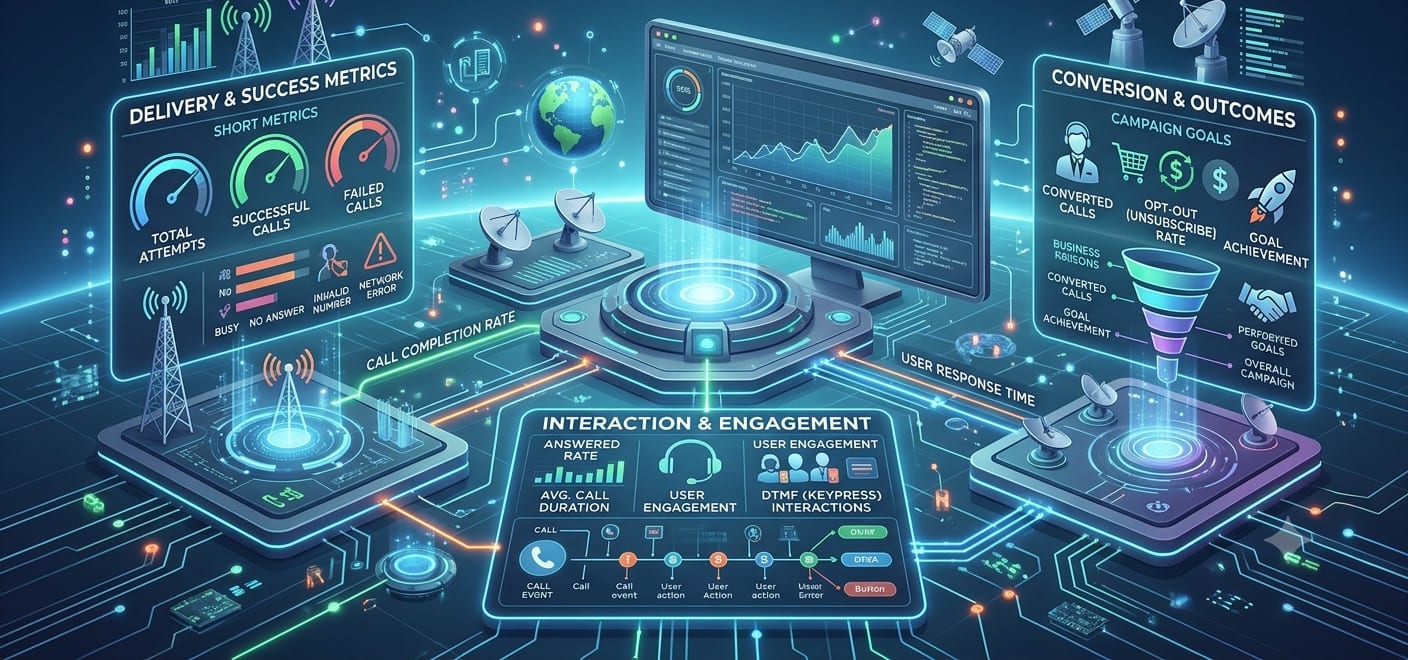
Depending on the platform, these may include:
Calls attempted
Answered and unanswered calls
Busy or failed outcomes
Connected call duration
Keypad responses
Campaign-level summaries
The organisation can use this information to identify operational issues and plan appropriate follow-up. Reports should be interpreted carefully: an answered call is not necessarily a completed message, and a completed message is not automatically a conversion.
What is an IVR calling system?
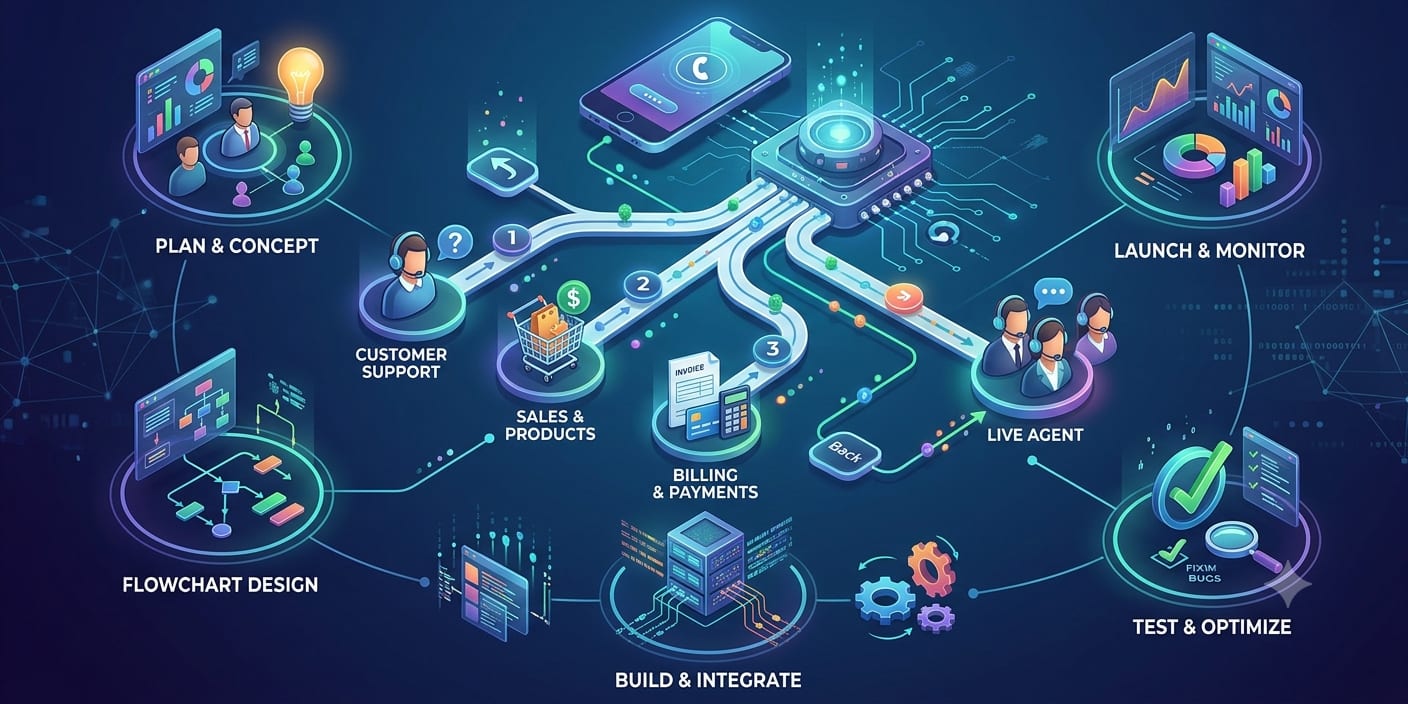
IVR stands for Interactive Voice Response. It allows a caller or recipient to interact with an automated phone system using keypad inputs and, where supported, speech recognition.
In a bulk voice campaign, IVR can turn a one-way recording into a basic two-way interaction.
For example, a service provider might play the following message:
“Your service appointment is approaching. Press 1 to request a callback or press 2 to hear the customer support options.”
If the platform supports the required call flow, the selected key can be recorded and used to route the request.
Common IVR applications include:
Lead qualification and callback requests
Appointment confirmations
Short customer surveys
Feedback collection
Basic customer service routing
Menu-based information access
Bulk voice broadcasting and IVR are related, but they are not the same thing. Broadcasting primarily delivers the message, while IVR adds an interaction layer. Check the provider's supported features before assuming that a particular response or routing workflow is available.
Types of bulk voice call services
The appropriate campaign type depends on the communication objective, the recipient and the applicable telecom requirements.
1. Informational and service-related calls
These calls communicate relevant updates, such as appointment changes, service announcements or delivery-related information.
Example: A service centre informs a customer about a schedule change.
The sender should ensure that the message is genuinely relevant and that the communication follows the requirements applicable to its category.
2. Reminder calls
Reminder campaigns help recipients remember a scheduled event, appointment, deadline or renewal.
Example: A clinic reminds a patient about an upcoming appointment.
Messages should be concise, accurate and respectful of privacy. Avoid revealing sensitive details that another person answering a shared phone could hear.
3. Promotional voice calls
Promotional calls communicate eligible offers, product announcements or invitations.
Example: A retailer informs an appropriately selected audience about a store opening.
Promotional campaigns require particular attention to consent, recipient preferences, registration, calling restrictions and other applicable rules. Do not assume that a message is exempt simply because it is delivered as a recorded call.
4. Interactive voice campaigns
Interactive campaigns use IVR or keypad responses to capture simple choices.
Example: A business invites interested recipients to press a key to request a callback.
This can help organise follow-up, provided the platform supports the feature and the next step is clearly explained.
5. Surveys and feedback calls
A survey campaign asks recipients a small number of questions about a service or experience. Some systems support keypad-based answers, while other survey workflows require a different implementation.
Example: An organisation asks customers to rate a completed service interaction.
Keep questions short and avoid collecting sensitive information unless there is a clear, appropriate reason and the necessary safeguards are in place.
6. Emergency and urgent announcements
Authorised organisations may use voice communication as one part of an emergency or urgent-notification process.
Example: An institution informs its community about an urgent schedule or safety update.
Emergency communication should use an appropriate authorised process. A standard promotional calling workflow should not be treated as a substitute for a dedicated emergency alert system.
Benefits of bulk voice call service
Bulk voice calling can help organisations manage selected communications at scale. Its usefulness depends on the campaign objective, the contact list, message quality and recipient experience.
1. Automates repetitive calling
A platform can handle outbound dialling and message playback, reducing the need for staff to place each call manually. Staff can then focus on exceptions and follow-up requests.
2. Supports large contact lists
Automated calling can help organisations distribute a message to a large eligible audience. Actual throughput and delivery depend on platform capacity, telecom routing, campaign settings and provider limits.
3. Communicates through spoken audio
Some information is easier for recipients to understand when spoken, particularly when the message is short and the audience prefers voice communication.
However, a voice call is not automatically more effective than SMS, email or WhatsApp. The right channel depends on the audience and purpose.
4. Can support regional-language communication
Recorded audio in a suitable regional language can make a message more accessible to recipients who prefer listening in that language.
The sender should verify pronunciation, clarity and translation accuracy before launching the campaign.
5. Enables simple recipient interactions
Where supported, IVR and keypad responses can help recipients request a callback, select an option or answer a short survey.
These responses can support follow-up workflows, although they should not be treated as a complete substitute for more detailed conversations when those are needed.
6. Provides campaign reporting
A dashboard can make it easier to review attempted calls, available call outcomes, duration and supported responses. This helps teams identify delivery issues and compare campaigns using consistent metrics.
7. Can integrate with existing business workflows
Providers that offer APIs may allow voice calls to be triggered from approved business systems, such as appointment platforms, CRM software or service-management tools.
The extent of automation depends on the API, integration design and available reporting events.
Limitations to understand before launching
Bulk voice calling is not the right solution for every communication need.
Calls may go unanswered. Network availability, recipient availability and call screening all affect reach.
Recipients may not listen to the full recording. Keep messages focused and evaluate completion where the platform can measure it.
Long messages can be difficult to follow. Spoken communication is not ideal for lengthy instructions, detailed terms or complicated information.
Unwanted calls can damage trust. Contact recipients only when the communication is appropriate and permitted.
Automated responses have limits. IVR can capture simple choices but may not resolve complex customer questions.
Costs depend on billing rules. Call duration, billing units, retries, platform features and other contractual terms can affect the final price.
Compliance remains essential. Automation does not remove the sender's responsibility to follow applicable requirements.
For detailed examples of how organisations use the technology, see the separate guide: Bulk Voice Call Service Use Cases Across Industries.
How to choose a bulk voice call service provider
Before selecting a provider, evaluate the platform against the campaign you actually need to run.
Campaign management
Check whether the platform supports contact uploads, campaign scheduling, audio selection, appropriate retry controls and clear campaign-level reporting.
Audio and language support
Confirm supported audio formats, recording options and any text-to-speech languages you need. Test the actual audio rather than relying on a feature list alone.
IVR and response capture
If you need interactive calling, confirm that the platform supports your required keypad options, call flow and response export or integration.
API integration
If campaigns need to be triggered from your software, review the provider's API documentation. Check authentication, request fields, response formats, error handling, rate limits and available status callbacks.
Reporting and analytics
Understand which outcomes the platform records and how they are defined. For example, check whether the dashboard distinguishes attempted calls, answered calls, failed calls and connected duration.
Security and data handling
Ask how the provider protects uploaded contact lists, controls user access, manages credentials and handles data retention. Avoid sharing contact data with parties that do not need access to it.
Compliance support
Ask what controls are available for recipient preferences, campaign classification, required screening, caller identification and opt-out handling. Verify the actual requirements for your campaign independently.
Pricing transparency
Request a written price breakdown. Confirm whether billing is based on call attempts, connected duration, billing pulses or another unit, and ask how unanswered calls, failed calls, retries, IVR and taxes are handled.
How does bulk voice call API integration work?
A bulk voice call API allows compatible software to initiate or manage voice campaigns programmatically, where the provider supports those functions.
Instead of requiring an employee to configure every campaign manually in a dashboard, an approved business application can send a request to the provider's API.
A typical integration may follow this workflow:
An event occurs in the business system, such as an appointment being scheduled.
The application verifies that the planned communication is appropriate and permitted.
The application sends an authenticated request to the voice provider using its documented API.
The provider validates the request and processes it according to the available service.
The provider returns a response or supplies status updates through supported callbacks or webhooks.
The business application records the result and routes any required follow-up.
Potential integration points include CRM software, appointment-management systems, customer support platforms and internal business applications.
Before implementation, confirm whether the API supports individual calls, campaign creation, scheduled campaigns, call-status retrieval, DTMF response capture or webhooks. These capabilities are provider-specific and should not be assumed.
API credentials should be stored securely, requests should be authenticated, and retry logic should be designed to avoid unintentionally creating duplicate calls.
For developer-focused details, link to a dedicated API or integration guide if one is available on your site.
Bulk voice calls vs SMS vs WhatsApp
Voice calls, SMS and WhatsApp serve different communication needs. Selecting a channel should depend on the content, recipient preference, urgency, interaction requirements and applicable rules.
Feature | Bulk voice calls | SMS | |
|---|---|---|---|
Main format | Spoken audio | Text | Text, media and supported interactive formats |
Internet needed on recipient's device | Generally no mobile data required for a normal telephone call | Generally no mobile data required for SMS | Generally requires internet access |
Best for | Spoken reminders, announcements and simple surveys | Short written alerts and concise information | Richer conversations, media and customer support |
Interactive options | IVR and keypad inputs, if supported | Depends on the messaging workflow | Supported buttons, lists and conversation features, subject to platform rules |
Language considerations | Recorded or generated spoken language | Written language and character support | Written and supported media formats |
Important limitation | Calls can be missed or interrupted | Message length and format are limited | Availability and delivery depend on account, platform and connectivity conditions |
Some organisations use more than one channel, giving each a clear role. For example, a business might send a concise text confirmation and use a voice reminder for a relevant upcoming appointment, where permitted.
Bulk voice call service compliance in India
Businesses using automated voice calls in India should confirm the current telecom requirements that apply to their specific sender type, communication purpose, recipients and campaign configuration.
The applicable rules may differ depending on whether a call is promotional, service-related or falls into another regulated category. Do not assume that every recorded call follows the same route or has identical requirements.
Before launching a campaign, consider the following:
Recipient permissions and preferences: Verify the applicable consent and recipient-preference requirements for the proposed communication.
Registration and campaign classification: Check the registration, sender identification, numbering or other requirements that apply to the sender and campaign type.
Calling restrictions: Confirm applicable calling-time and other telecom restrictions.
Opt-out handling: Respect applicable opt-out requests and maintain appropriate suppression records.
Accurate sender identity: Identify the organisation clearly and avoid deceptive scripts or caller presentation.
Data protection: Use contact information appropriately, limit access and protect uploaded lists and campaign reports.
Sector-specific requirements: Additional rules may apply to financial services, healthcare, insurance, elections and public communications.
Record keeping: Maintain appropriate records of campaign approvals, scripts, contact-list processing and relevant outcomes.
For current requirements, consult official guidance from the Telecom Regulatory Authority of India (TRAI) and other relevant authorities. For election-related campaigns, verify applicable Election Commission requirements and permissions as well.
A service provider may offer technical compliance controls, but those controls do not automatically make every campaign lawful. The sender must verify that the intended communication is permitted before launch.
How to measure bulk voice call campaign performance
Choose metrics based on the campaign objective rather than relying on one headline number.
Metric | What it measures | How to use it |
|---|---|---|
Calls attempted | Numbers the platform tried to reach | Understand campaign volume |
Answer rate | Answered calls relative to the clearly defined number of attempts | Assess reachability |
Connected duration | How long answered calls remained connected | Identify patterns in call engagement |
Message completion | Whether the call reached the defined end of the message, where measurable | Evaluate the message flow |
Keypad response rate | Eligible calls that generated a supported keypad response | Assess interactive participation |
Callback requests | Recipients requesting follow-up | Plan staff workload |
Cost per meaningful outcome | Campaign cost divided by the defined successful outcome | Compare campaign efficiency |
Define the denominator for every rate and use consistent measurement periods. An answered call does not necessarily mean the message was heard, and neither an answer nor a keypad response automatically demonstrates a sale or other final outcome.
Frequently asked questions
1. What is a bulk voice call service?
A bulk voice call service automatically places outbound calls to a large list of telephone numbers and plays a recorded or otherwise supported voice message when the call is answered. It is used for suitable reminders, announcements, notifications, surveys and permitted promotional communications.
2. How does bulk voice calling work?
The sender prepares an appropriate contact list and voice message, configures the campaign, schedules the calls and reviews the available reports. If the platform supports IVR, recipients may also respond using keypad inputs.
3. What is another name for bulk voice calling?
It may also be called voice broadcasting, automated voice calling, voice blast or outbound dialing (OBD). IVR is a related technology that adds interactive options to supported call flows.
4. Does bulk voice calling require internet access on the recipient's phone?
A normal telephone call generally uses the mobile or landline network rather than requiring mobile data on the recipient's device. Actual delivery still depends on network availability, phone status and carrier handling.
5. What is the difference between voice broadcasting and IVR?
Voice broadcasting delivers a recorded message to recipients. IVR adds an interactive system that can let recipients select options or enter keypad responses. A platform may offer one or both capabilities.
6. Can bulk voice calls be made in regional languages?
Many platforms support recorded audio in multiple languages, and some offer text-to-speech features. The available languages depend on the provider. Always test the audio for clarity, pronunciation and translation accuracy.
7. Can bulk voice calls be integrated with a CRM?
They can be integrated with a CRM when the provider and CRM support the necessary API or connector. Depending on the integration, businesses may trigger calls from approved workflows and record supported campaign or call-status information.
8. How much does bulk voice call service cost in India?
Pricing depends on the provider's billing model, connected duration, billing unit, campaign volume, platform features and contractual terms. Confirm how unanswered calls, failed calls, retries, IVR and taxes are billed before purchasing.
9. Are bulk voice calls suitable for promotional campaigns?
They may be suitable when the campaign, sender, audience and communication method meet the applicable requirements. Confirm the current rules for consent, registration, recipient preferences and calling restrictions before sending promotional calls.
10. How can a business measure the success of a voice campaign?
Use metrics that match the objective, such as answered calls, message completion where available, keypad responses, callback requests, attended appointments or another defined outcome. Include campaign cost and use consistent measurement methods.
11. What should I check before choosing a voice broadcasting provider?
Evaluate campaign management, audio quality, language support, IVR, API integration, reporting, security, compliance controls, technical support and pricing transparency. Test the features you need before committing to a provider.
12. Where can I learn about industry-specific bulk voice call use cases?
Read the dedicated guide to bulk voice call service use cases across industries for practical examples across sectors such as education, healthcare, real estate, retail, finance and public services.
Conclusion
A bulk voice call service enables organisations to automate outbound calling and deliver recorded messages at scale. Depending on the platform, it can support scheduled campaigns, regional-language audio, IVR responses, reporting and API-based workflows.
The best results start with a clear communication objective, an appropriate contact list, a concise message and a reliable follow-up process. Businesses should also evaluate the provider's actual capabilities, understand its pricing model and verify the current compliance requirements that apply to their campaigns.
For organisations considering automated voice communication, explore Nexcomm's bulk voice call service to review the available campaign features and service options.
More voice and IVR guides
- How to write a bulk voice call script that gets heard
- Press 1 voice campaigns: how keypad responses work
- IVR menu design: how to build a phone menu people use
- Bulk voice call reports: what to measure after a campaign
More in Voice and IVR guides.