
WhatsApp Marketing for Two-Wheeler and Car Showrooms
Answer opted-in enquirers with the variant they asked about, confirm test drives and delivery with a tap, remind owners about service, and handle every reply from one shared inbox.
What is WhatsApp Marketing?
WhatsApp Marketing uses the official WhatsApp Business API to help brands communicate with their customers at scale — the right way. Unlike a standard WhatsApp account, this enterprise-grade solution lets businesses broadcast messages to thousands of opted-in users simultaneously without the risk of being blocked. It supports rich media formats including images, videos, and PDFs, along with interactive elements like Call-to-Action buttons and Quick Replies, plus the ability to build automated conversation flows.
Who is this for?
Sales and service teams at authorised two-wheeler and car dealerships, multi-brand showrooms and used-car dealers who message buyers and owners that have opted in.
WhatsApp for Auto Showrooms
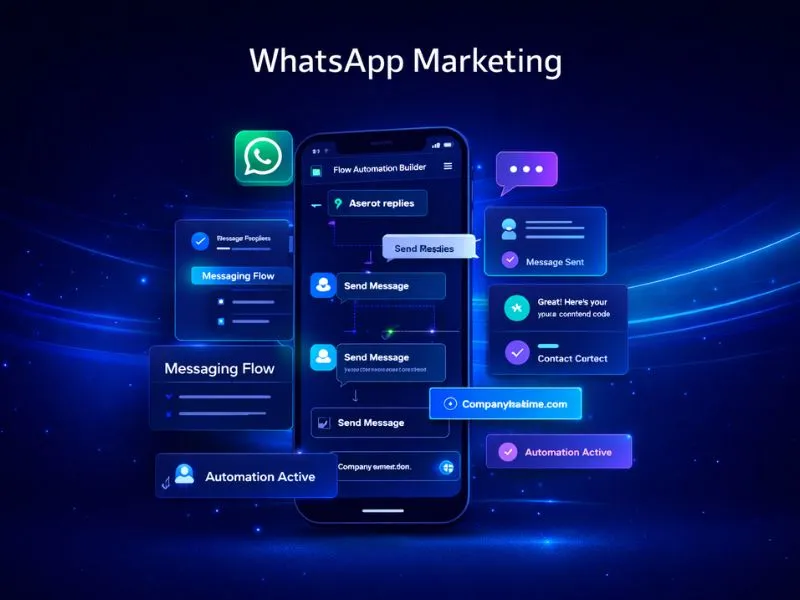
WhatsApp marketing for two-wheeler and car showrooms lets a dealership answer an enquirer, and later the owner, in one chat through the Official WhatsApp Business API. Messages go only to buyers who have opted in, and every reply lands in a shared inbox.
The sales desk sends the variant and colour an enquirer asked about, with a quick reply to ask for an exchange value. Test-drive reminders carry a reschedule button, and delivery day is confirmed with a tap. Authorised dealers add first free service reminders and festival offers; a used-car showroom can share a stock list with photos and a Book a viewing button.
Consent is a WhatsApp tick box on the walk-in form, the online enquiry form and the test-drive booking. A service-reminder template is written once and approved by Meta before it goes to any owner, and Meta's policies apply to what you send. Nexcomm, in Baner, Pune, guides dealerships through template approval before a campaign date.
How WhatsApp Marketing Works
Apply for API
Submit your Facebook Business Manager ID for verification to receive official access to the WhatsApp Business API.
Get Green Tick
We guide you through the application process for WhatsApp's verified business badge — a mark of authenticity your customers will notice.
Template Approval
Create your message templates — text, media, or button-based — and submit them for Meta's approval, which typically completes within minutes.
Launch Campaign
Upload your opted-in contact list and schedule your broadcast directly from the Nexcomm dashboard.
Analyze Results
Track real-time data on message delivery, read receipts, button interactions, and customer replies.
Key Features
Rich Media Support
Capability: Images, Videos, PDFs
Benefit: Present your products and services visually to drive stronger engagement and higher conversion rates.
Interactive Buttons
Capability: CTA & Quick Replies
Benefit: Give customers a frictionless way to respond, visit your website, or take action with a single tap.
Automated Chatbots
Capability: 24/7 Auto-Reply
Benefit: Resolve common customer queries around the clock without requiring agent intervention.
Shared Inbox
Capability: Multi-Agent Support
Benefit: Let multiple team members handle customer conversations simultaneously from one WhatsApp number.
Broadcast Lists
Capability: Unlimited Reach
Benefit: Send targeted messages to large opted-in audiences without the constraints of personal WhatsApp.
Green Tick
Capability: Verified Business Badge
Benefit: Establish credibility and brand trust with the official verification badge displayed alongside your business name.
How Showroom Teams Use WhatsApp
Variant, colour and exchange enquiries
Reply with the variant brochure and colour options the enquirer asked about, plus a Value my old vehicle quick reply that the sales executive picks up in the shared inbox.
Reschedule button on test-drive reminders
Remind the customer on the day with a reply button to reschedule, and rebook the slot from the shared inbox when the reply arrives.
Delivery confirmation by reply
Send the expected delivery date, with a button to your payment page for any balance due. The day before, ask the buyer to tap to confirm the slot; documents are handled at the showroom or on your own secure upload link, not in the chat.
Service reminders with a slot button
Remind owners about the first free service, with a button to ask for a slot. A due-date reminder for insurance carries only the date and a callback button, with no premiums, plans or advice.
Why Showrooms Choose Nexcomm for WhatsApp
Official Meta Partner
Direct API access with no markups on Meta's conversation pricing — what you see is what you pay.
High Throughput
Our infrastructure supports sending thousands of messages per second, making it viable for large-scale campaign deployments.
Advanced Analytics
Get granular insights into delivery rates, message read percentages, and interactive button performance.
Seamless Integration
Ready-to-use connectors for Shopify, WooCommerce, Magento, and custom CRM environments.
Compliance & Security
Every campaign on Nexcomm's WhatsApp platform is structured to comply with Meta's Commerce and Business Policies, reducing the risk of number restrictions or account actions.
POST /api/v1/messages
// Request Payload
{
"to": "+919876543210",
"body": "Your OTP is 1234",
"type": "transactional"
}
Robust WhatsApp API
Embed WhatsApp messaging capabilities directly into your existing products, workflows, or customer-facing applications.
Transparent Pricing
WhatsApp Business API pricing is structured around 24-hour conversation windows — either User-Initiated or Business-Initiated — in line with Meta's billing policy. Nexcomm offers competitive rates with full pricing transparency, so there are no surprises on your invoice.
Check PricingNo hidden fees. Pay for what you use.
Frequently Asked Questions
Find Services Available Near You
Explore our service availability across major cities, states, and industries.
Education & Coaching Institutes
Student engagement & admissions
Real Estate Developers & Brokers
Property alerts & lead generation
Healthcare & Hospitals
Appointment reminders & patient care
E-commerce & Retail
Order updates & promotional offers
Finance & NBFC
Secure transactions & fraud alerts
Travel & Hospitality
Booking confirmations & travel updates
Manufacturing & Industrial
Supply chain & workforce management
IT & SaaS Companies
Product updates & user onboarding
Event Management
Event updates & ticket delivery
Logistics, Transport & Courier
Shipment alerts & delivery coordination
Two-Wheeler & Car Showrooms
Test drives, bookings & service reminders
Tours & Holiday Packages
Holiday enquiries, itineraries & booking follow-ups
Unlock the Power of WhatsApp Marketing
Start engaging your customers where they are most active. Setup in less than 24 hours.
Get Started