🚀 WhatsApp API Integration Guide for Developers (With Examples)
Modern applications require real-time customer communication. Whether you're building an e-commerce platform, CRM, SaaS product, healthcare portal, or customer support system, integrating WhatsApp can significantly improve engagement and response rates.
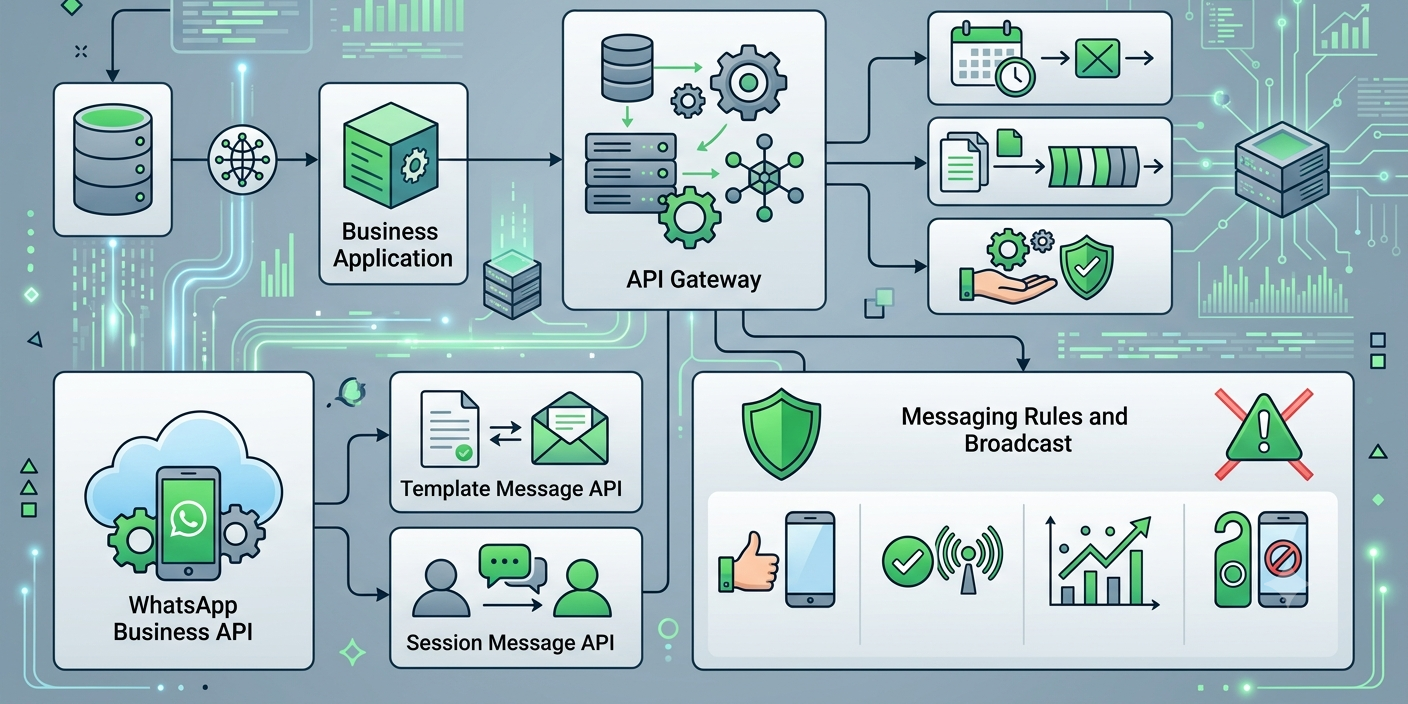
The WhatsApp API integration process enables developers to send messages, receive customer replies, automate workflows, connect chatbots, and build conversational experiences directly into their applications.
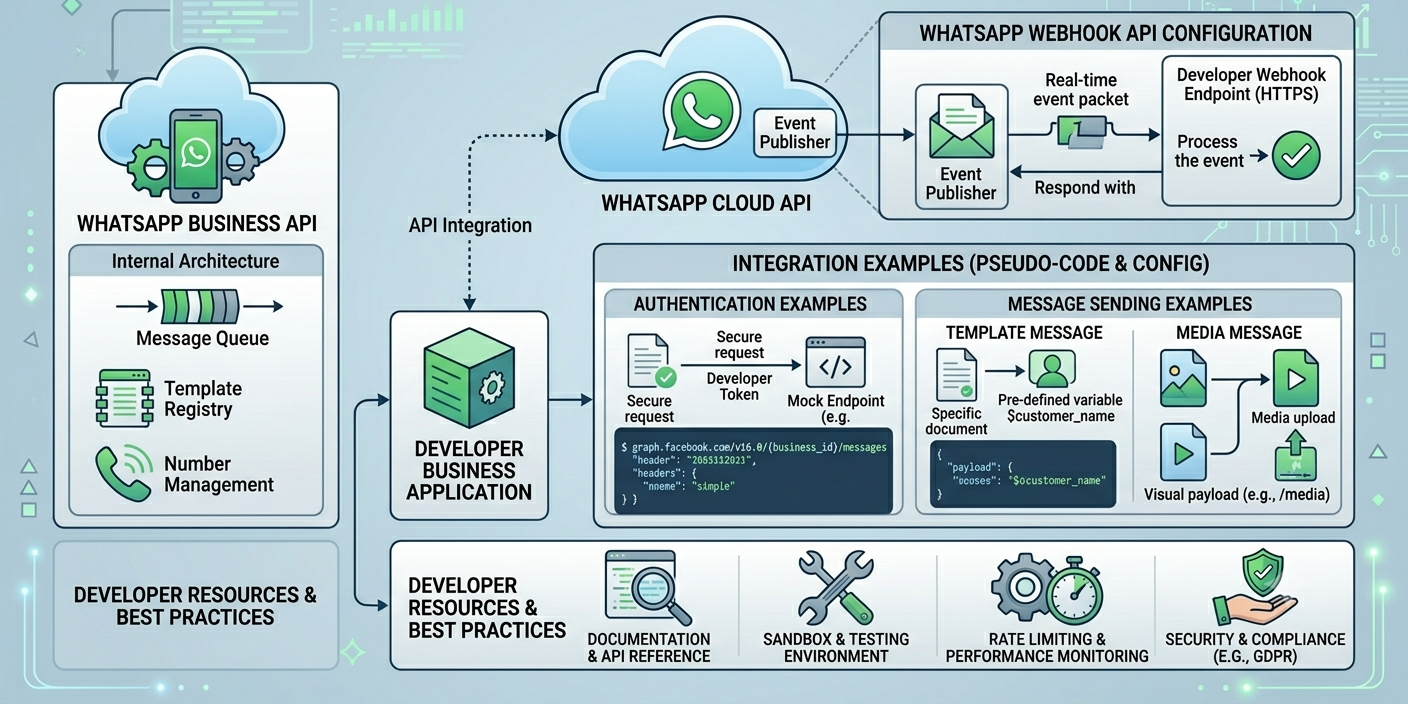
This guide explains the complete integration process, including WhatsApp Webhook API configuration, WhatsApp Cloud API setup, code examples, and implementation best practices.
📱 What is WhatsApp Business API?
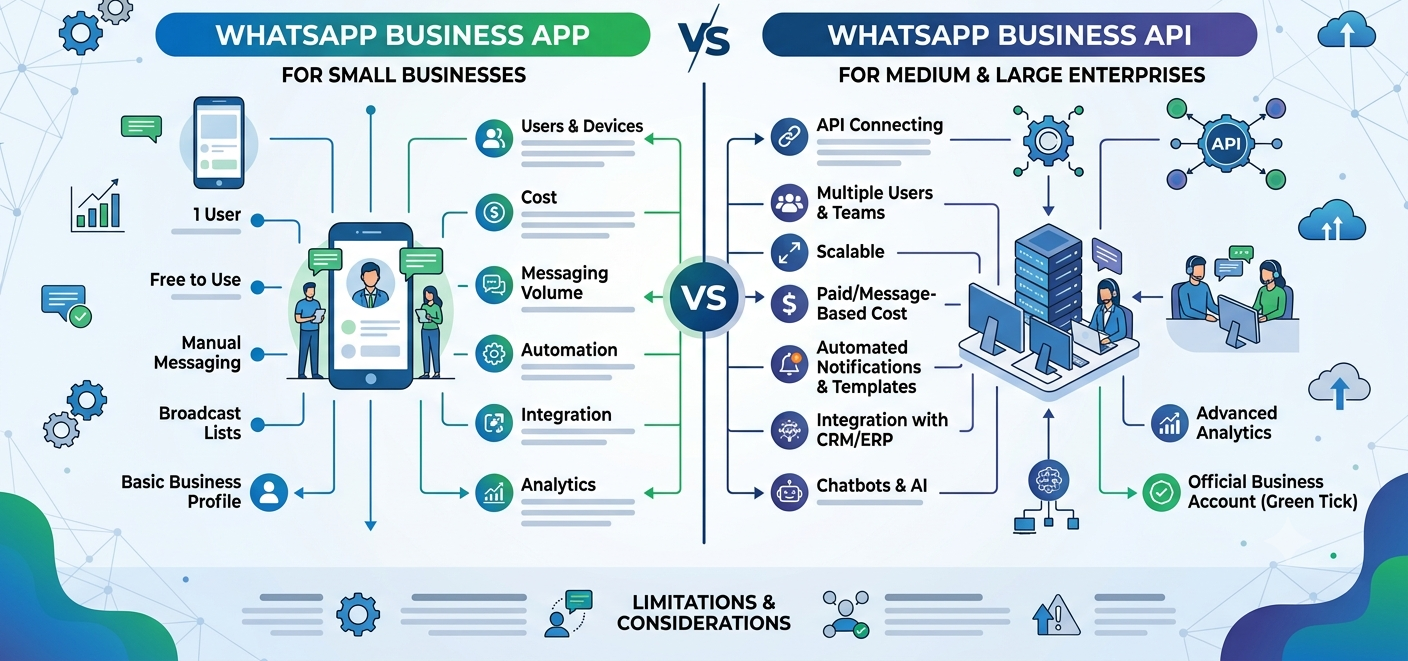
WhatsApp Business API is a messaging platform designed for businesses that need scalable communication capabilities.
Unlike the WhatsApp Business App, the API allows developers to:
✅ Send automated messages
✅ Receive customer responses
✅ Build chatbot workflows
✅ Integrate CRM systems
✅ Deliver notifications
✅ Manage large-scale messaging
✅ Automate customer support
🏗️ WhatsApp Cloud API vs On-Premise API
Meta currently recommends the WhatsApp Cloud API for most businesses.
| Feature | Cloud API | On-Premise API |
|---|---|---|
| Hosting | Managed by Meta | Self-hosted |
| Maintenance | Low | High |
| Scalability | High | Depends on infrastructure |
| Updates | Automatic | Manual |
| Setup Time | Fast | Longer |
For most modern projects, the Cloud API is the preferred option.
📋 Prerequisites Before Integration
Before starting your WhatsApp API integration, ensure you have:
🏢 Meta Business Account
Required for API access and verification.
📞 Dedicated Business Number
A phone number that will be connected to WhatsApp Business API.
🌐 Application Server
Your backend application should be capable of:
- Making HTTPS requests
- Receiving webhook events
- Processing JSON payloads
🔐 Access Token
Used to authenticate API requests.
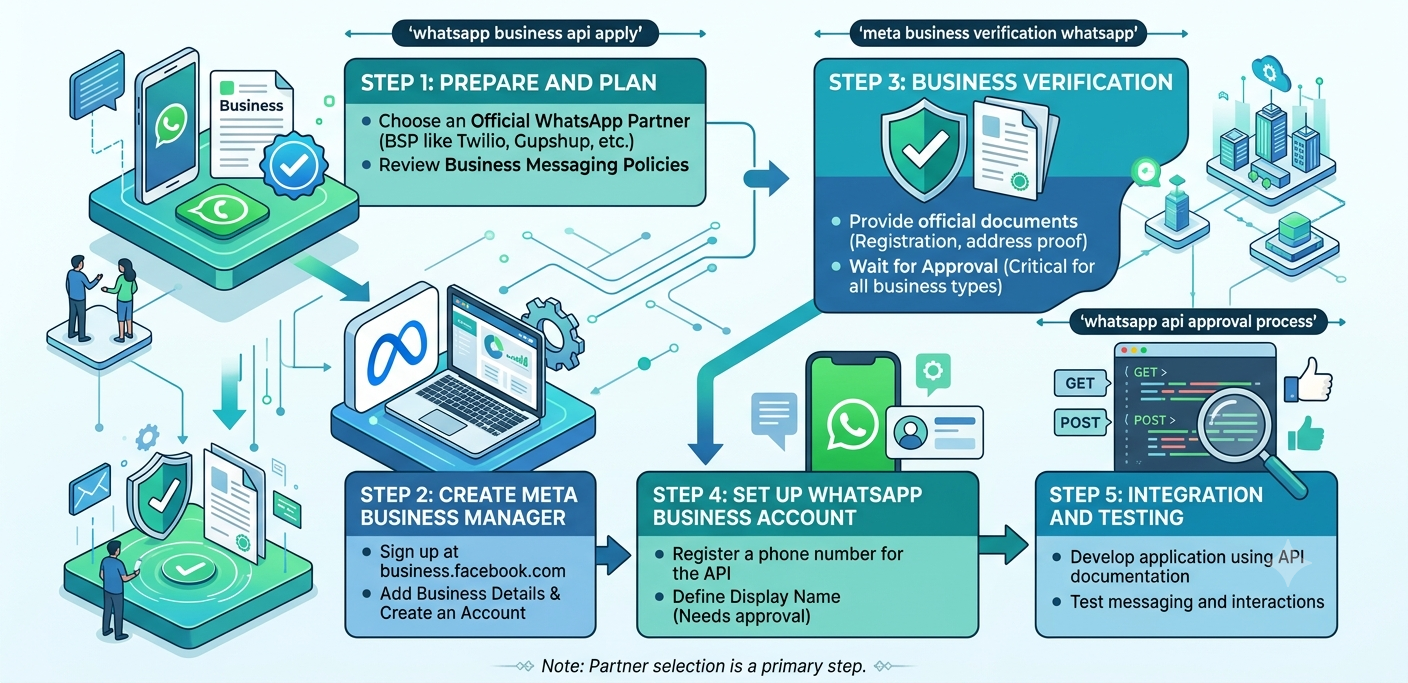
⚙️ WhatsApp Cloud API Setup
Step 1: Create a Meta Developer Account
Create a developer account and access the Meta Developer Dashboard.
Step 2: Create an App
Configure:
- App Name
- Business Type
- Developer Settings
Step 3: Add WhatsApp Product
Inside your application dashboard:
- Add WhatsApp Product
- Generate temporary credentials
- Access API configuration settings
Step 4: Configure Phone Number
Register your business phone number.
After verification, the number can be used for API messaging.
🔑 Authentication Example
API requests require an access token.
Example Authorization Header:
Authorization: Bearer YOUR_ACCESS_TOKENAlways store tokens securely using environment variables or secret managers.
📩 Sending a WhatsApp Message
A basic message request looks like:
POST /messages
{
"messaging_product": "whatsapp",
"to": "919999999999",
"type": "text",
"text": {
"body": "Hello from WhatsApp Cloud API!"
}
}
Use HTTPS requests from your backend application.
💻 Node.js Example
const axios = require("axios");
axios.post(
"https://graph.facebook.com/v23.0/PHONE_NUMBER_ID/messages",
{
messaging_product: "whatsapp",
to: "919999999999",
type: "text",
text: {
body: "Welcome to our platform!"
}
},
{
headers: {
Authorization: `Bearer ${process.env.ACCESS_TOKEN}`
}
}
);
This example sends a simple text message through WhatsApp.
🔔 Understanding WhatsApp Webhook API
A WhatsApp Webhook API allows your application to receive real-time events.
Examples include:
- Incoming messages
- Message delivery updates
- Read receipts
- Customer interactions
- Status changes
Without webhooks, your application cannot react to user messages automatically.
⚙️ Configuring Webhooks
Step 1: Create a Webhook Endpoint
Example:
https://yourdomain.com/webhookStep 2: Verify Webhook
Meta sends a verification request.
Example:
app.get('/webhook', (req, res) => {
const verifyToken = "MY_VERIFY_TOKEN";
if (
req.query['hub.verify_token'] === verifyToken
) {
return res.send(req.query['hub.challenge']);
}
return res.sendStatus(403);
});
Step 3: Process Incoming Events
Example:
app.post('/webhook', (req, res) => {
console.log(req.body);
res.sendStatus(200);
});
Webhook payloads contain customer message information.
🤖 Building Chatbots with WhatsApp API
Developers commonly combine WhatsApp API with chatbot engines.
Popular use cases:
Customer Support
Answer FAQs automatically.
Lead Qualification
Collect information before routing leads.
Appointment Booking
Automate scheduling workflows.
E-Commerce Automation
Provide product recommendations and order support.
🔗 CRM Integration Examples
WhatsApp API can integrate with:
Salesforce
Sync customer interactions.
HubSpot
Automate lead nurturing.
Zoho CRM
Centralize communication history.
Freshworks
Enhance customer support operations.
CRM integration helps create personalized customer experiences.
📦 Sending Template Messages
Businesses often use approved templates for:
- Order updates
- Delivery notifications
- OTP messages
- Appointment reminders
- Payment confirmations
Template messages help initiate customer conversations according to platform guidelines.
🔐 Security Best Practices
Protect your WhatsApp API integration by:
✔ Securing Access Tokens
Never hardcode credentials.
✔ Using HTTPS
Encrypt all communications.
✔ Validating Webhook Requests
Verify request authenticity.
✔ Implementing Rate Limits
Prevent abuse and accidental overload.
✔ Monitoring API Usage
Track unusual activity.
Security should be considered from day one.
📊 Monitoring and Analytics
Track important metrics such as:
- Delivery rate
- Read rate
- Response rate
- Message failures
- API errors
- Customer engagement
Analytics help improve performance and reliability.
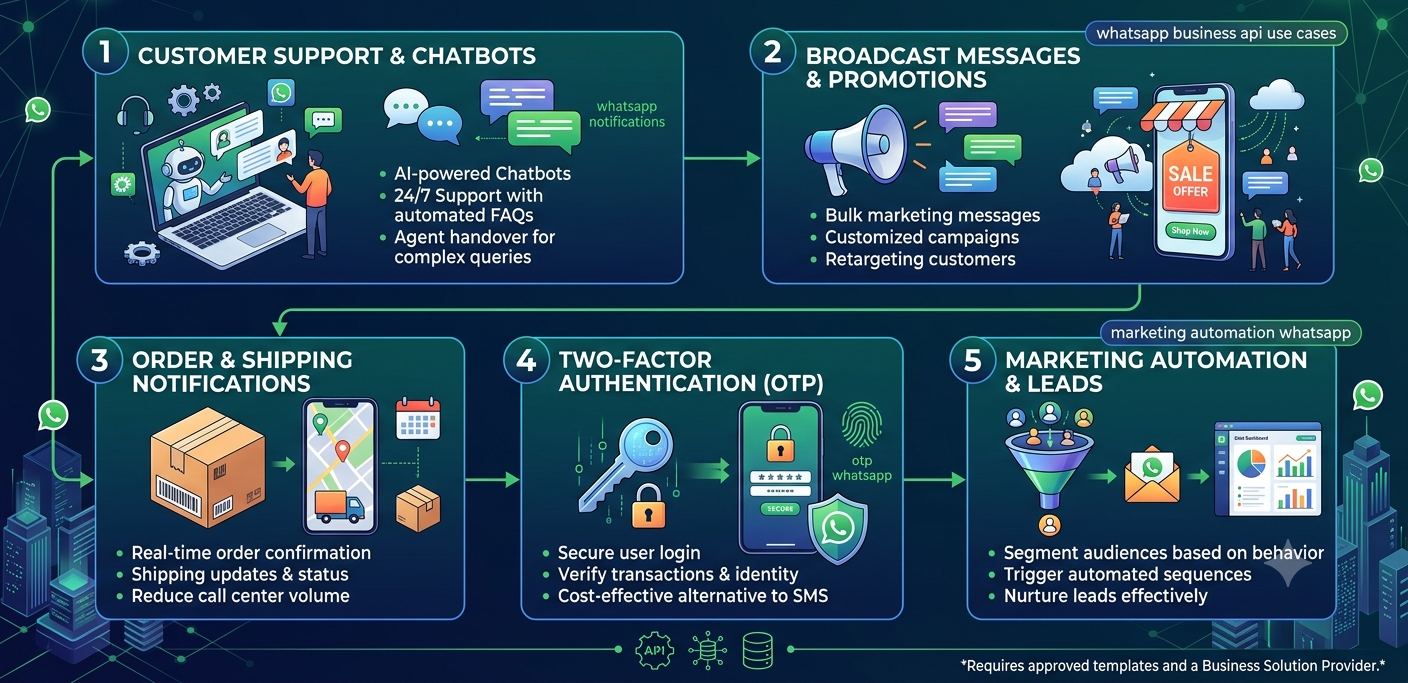
🚀 Advanced WhatsApp API Use Cases
Marketing Automation
Automated customer journeys and campaigns.
Conversational AI
Integrate GPT-powered assistants.
Multi-Agent Customer Support
Route chats to support teams.
OTP Authentication
Secure login verification.
Transactional Messaging
Real-time business notifications.
⚠️ Common Integration Mistakes
Avoid these issues:
❌ Exposing access tokens
❌ Ignoring webhook validation
❌ Hardcoding credentials
❌ Poor error handling
❌ Missing retry mechanisms
❌ Lack of monitoring
Building production-ready integrations requires careful planning.
🔮 Future of WhatsApp API Development
Businesses are increasingly adopting:
- Conversational AI WhatsApp
- WhatsApp automation India
- Customer engagement platforms
- AI-powered chatbots
- Marketing automation systems
Developers who understand WhatsApp integrations will continue to be in high demand.