CRM for Manufacturers and B2B Suppliers
Track dealer and buyer enquiries, assign them by territory, and give field sales teams a mobile app for visits, notes and calls.
What is Lead Management CRM?
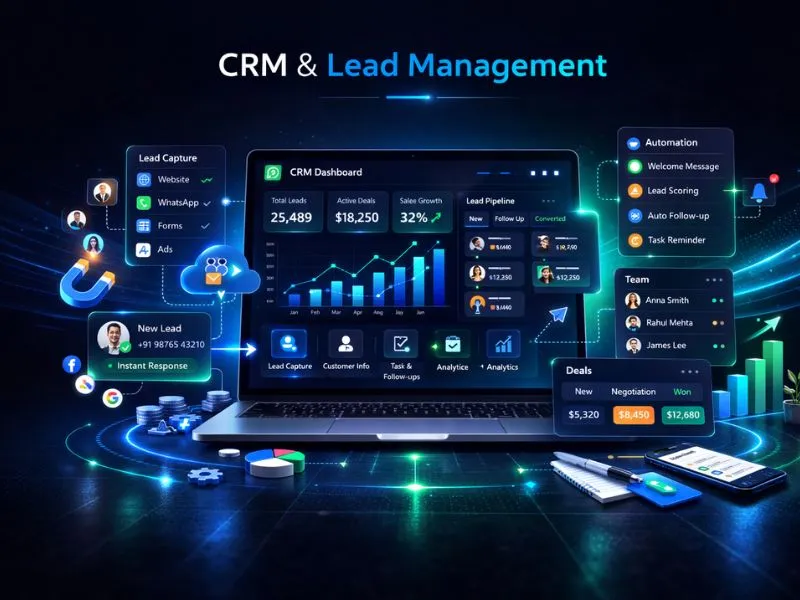
Nexcomm's Lead Management CRM is a unified platform built to capture, organize, and nurture leads coming in from multiple channels. It removes the need for manual data entry, closes the gaps that cause lead leakage, and gives sales teams the tools to follow up via SMS, Email, and WhatsApp — all from a single dashboard. With a structured sales funnel at the center, no opportunity slips through the cracks.
Who is this for?
Manufacturers, industrial suppliers and B2B service providers with field sales teams.
CRM for Manufacturing & Industry
B2B sales run on follow-ups across long cycles: an enquiry, a quote, a visit, a negotiation. A CRM keeps every step recorded, so nothing depends on one salesperson's memory.
Nexcomm's CRM assigns enquiries by territory, lets field teams log visits and call buyers from the mobile app, and connects your own systems through the lead creation and status APIs.
How Our CRM Works
Capture Leads
Automatically pull in leads from Facebook Ads, Google Forms, website inquiry forms, and IVR calls — no manual importing needed.
Assign & Distribute
Route leads to the right sales agent automatically using round-robin distribution or territory-based assignment rules.
Nurture
Trigger instant welcome messages via SMS or WhatsApp the moment a new lead enters the system.
Track Pipeline
Move leads through stages — New, Contacted, Interested, and Closed — using a simple drag-and-drop pipeline view.
Close & Analyze
Review agent performance, track conversion rates, and spot bottlenecks with visual reporting dashboards.
How Manufacturers Use the CRM
Territory assignment
Route each enquiry to the sales rep for that area.
Field visit logs
Record visits and meeting notes from the mobile app.
Quote follow-ups
Set reminders so every quote gets a follow-up.
Frequently Asked Questions
Find Services Available Near You
Explore our service availability across major cities, states, and industries.
Politics & Election Campaigns
Voter outreach & campaign management
Education & Coaching Institutes
Student engagement & admissions
Real Estate Developers & Brokers
Property alerts & lead generation
Healthcare & Hospitals
Appointment reminders & patient care
E-commerce & Retail
Order updates & promotional offers
Finance & NBFC
Secure transactions & fraud alerts
Travel & Hospitality
Booking confirmations & travel updates
Manufacturing & Industrial
Supply chain & workforce management
IT & SaaS Companies
Product updates & user onboarding
Event Management
Event updates & ticket delivery
Logistics, Transport & Courier
Shipment alerts & delivery coordination
Two-Wheeler & Car Showrooms
Test drives, bookings & service reminders
Tours & Holiday Packages
Holiday enquiries, itineraries & booking follow-ups