
CRM for Real Estate Developers and Brokers
Pull leads from ads and portals into one pipeline, coordinate site visits, send brochures automatically and track every agent's follow-up.
What is Lead Management CRM?
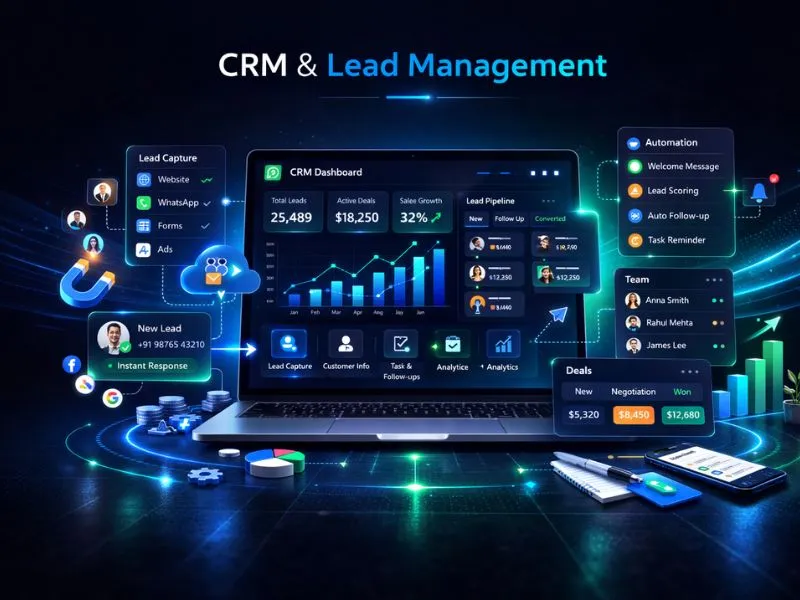
Nexcomm's Lead Management CRM is a unified platform built to capture, organize, and nurture leads coming in from multiple channels. It removes the need for manual data entry, closes the gaps that cause lead leakage, and gives sales teams the tools to follow up via SMS, Email, and WhatsApp — all from a single dashboard. With a structured sales funnel at the center, no opportunity slips through the cracks.
Who is this for?
Real estate developers, brokers and channel partners that handle large volumes of property enquiries.
CRM for Real Estate
A CRM for real estate collects enquiries from Facebook Ads, Google Ads, Justdial, website forms and calls in one pipeline, and shows which agent has followed up with each buyer, so no prospect is called twice or forgotten.
Property buyers enquire in many places at once and decide slowly, so a developer's problem is rarely a shortage of leads; it is leads that cool while waiting for a call. The CRM sends a brochure or welcome message by SMS or WhatsApp as soon as an enquiry arrives and creates a task for the agent. Lead scoring ranks buyers by their engagement, so agents ring the most interested ones first.
Pipeline stages can be set to match your sales process, for example enquiry, site visit booked, negotiation and booked. Agents log meeting notes and update stages from the mobile app while on a site, calls made with click-to-call are recorded, and managers compare each agent's follow-ups and conversions from one dashboard. An older list can be uploaded from Excel or CSV and worked through the same pipeline.
Property enquiries have recognisable stages, and the CRM can be set up to follow them: enquiry, site visit scheduled, site visit done, negotiation, booking amount received and agreement. Channel partners send leads of their own, walk-ins arrive at the sales gallery, and portal enquiries come in quickly on a launch weekend. Each carries a source, so the developer can see which channel produces visits and bookings and not just enquiries. Brochures and floor plans go out by SMS or WhatsApp automatically, and a task reminds the agent to call after the visit while the buyer is still deciding.
How Real Estate Teams Use the CRM
Brochure and welcome automation
A buyer who enquires about a project receives the brochure by SMS or WhatsApp within moments, and the agent is given a follow-up task, so the first reply does not depend on someone being at a desk.
Site-visit scheduling
Visits are booked in the pipeline, reminders go to the agent and the buyer, and the stage changes once the visit is done, so managers can see how many prospects have actually been shown the property.
Project-wise lead distribution
Territory-based rules send leads for a given project or location to the agents who handle it, and round-robin sharing spreads the rest among the team, so no agent is overloaded.
Follow-up audit for managers
Call logs, recordings and task histories show which agent contacted which buyer and when, so a manager can find the prospects who were promised a call and never received one.
Channel-partner lead tracking
Leads from channel partners are tagged with the partner's name, so the developer can see how many became site visits and bookings and which partner needs a follow-up.
Frequently Asked Questions
Find Services Available Near You
Explore our service availability across major cities, states, and industries.
Politics & Election Campaigns
Voter outreach & campaign management
Education & Coaching Institutes
Student engagement & admissions
Real Estate Developers & Brokers
Property alerts & lead generation
Healthcare & Hospitals
Appointment reminders & patient care
E-commerce & Retail
Order updates & promotional offers
Finance & NBFC
Secure transactions & fraud alerts
Travel & Hospitality
Booking confirmations & travel updates
Manufacturing & Industrial
Supply chain & workforce management
IT & SaaS Companies
Product updates & user onboarding
Event Management
Event updates & ticket delivery
Logistics, Transport & Courier
Shipment alerts & delivery coordination
Two-Wheeler & Car Showrooms
Test drives, bookings & service reminders
Tours & Holiday Packages
Holiday enquiries, itineraries & booking follow-ups