
RCS Messaging for Event Organisers
Share event trailers, reminders and booking confirmations as rich messages that attendees can save to their calendar in one tap.
What is RCS Messaging?
As a breakthrough in rich communication services india landscapes, RCS is the natural evolution of traditional SMS — bringing a significantly richer experience to the default messaging app on Android devices. With advanced rcs messaging for brands india solutions, businesses can send messages that include verified sender profiles displaying your brand logo and name, high-resolution images, videos, product carousels, and interactive buttons such as Suggested Replies and one-tap Actions. It delivers an app-like communication experience to your customers without asking them to install anything new.
Who is this for?
Event organisers, entertainment companies, venues and conference teams that promote and manage events.
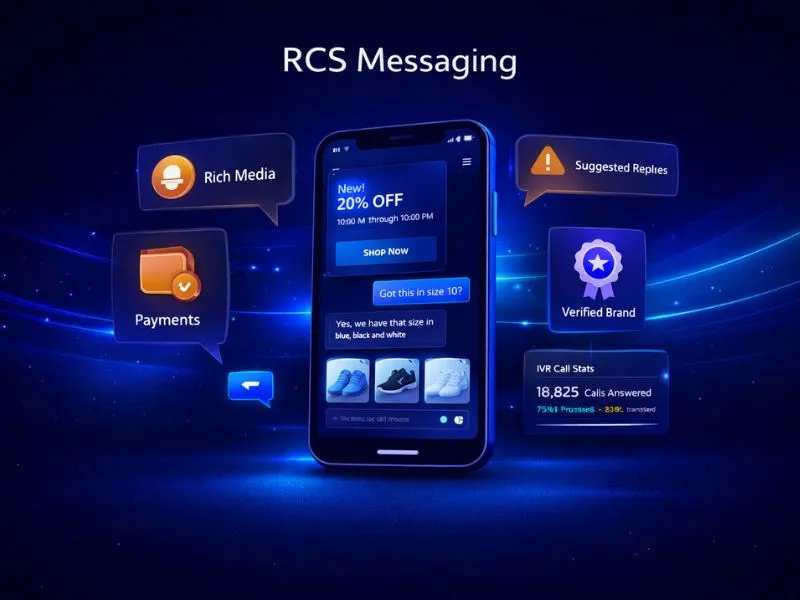
RCS for Event Management
An event invitation with a trailer, the venue on a map and a save-the-date button gets more attention than a line of text. RCS delivers all of that in the phone's messaging app.
Nexcomm builds the cards, tracks deliveries, reads and button taps, and sends a standard SMS to anyone whose phone does not support RCS.
How RCS Messaging Works
Brand Verification
We assist in getting your business verified with Google and carrier networks so your logo and brand name appear alongside every message you send.
Create Agent
Set up your RCS Business Messaging (RBM) agent profile — the identity through which your brand communicates on the RCS channel.
Design Content
Use our rich card builder to create visually engaging messages with images, carousels, and call-to-action buttons tailored to your campaign.
Target Audience
Select your contact list and send. For recipients on non-RCS-enabled devices, our platform automatically falls back to standard SMS.
Send & Track
Launch your campaign and monitor real-time delivery status, read receipts, and user interaction data from your dashboard.
How Event Teams Use RCS
Event trailers
Share video trailers with a button to book.
Booking confirmations
Confirm tickets in a rich, structured message.
Save-the-date reminders
Let attendees add the event to their calendar with one tap.
Frequently Asked Questions
Find Services Available Near You
Explore our service availability across major cities, states, and industries.
Education & Coaching Institutes
Student engagement & admissions
Real Estate Developers & Brokers
Property alerts & lead generation
Healthcare & Hospitals
Appointment reminders & patient care
E-commerce & Retail
Order updates & promotional offers
Finance & NBFC
Secure transactions & fraud alerts
Travel & Hospitality
Booking confirmations & travel updates
Manufacturing & Industrial
Supply chain & workforce management
IT & SaaS Companies
Product updates & user onboarding
Event Management
Event updates & ticket delivery
Logistics, Transport & Courier
Shipment alerts & delivery coordination
Two-Wheeler & Car Showrooms
Test drives, bookings & service reminders
Tours & Holiday Packages
Holiday enquiries, itineraries & booking follow-ups
Modernize Your Customer Communication
Switch to RCS today and deliver app-like experiences directly to the inbox.
Start RCS Pilot