
AI WhatsApp Chatbot Use Cases Across Industries: Real-World Business Applications
New to this topic? Start with our guide to what an AI WhatsApp chatbot is and how it works.
AI-powered WhatsApp chatbots are changing how businesses answer customer questions, manage enquiries, coordinate appointments, and support customers throughout their journey. Instead of relying entirely on employees to respond to every incoming message, businesses can automate routine conversations while keeping human assistance available for more complex situations.
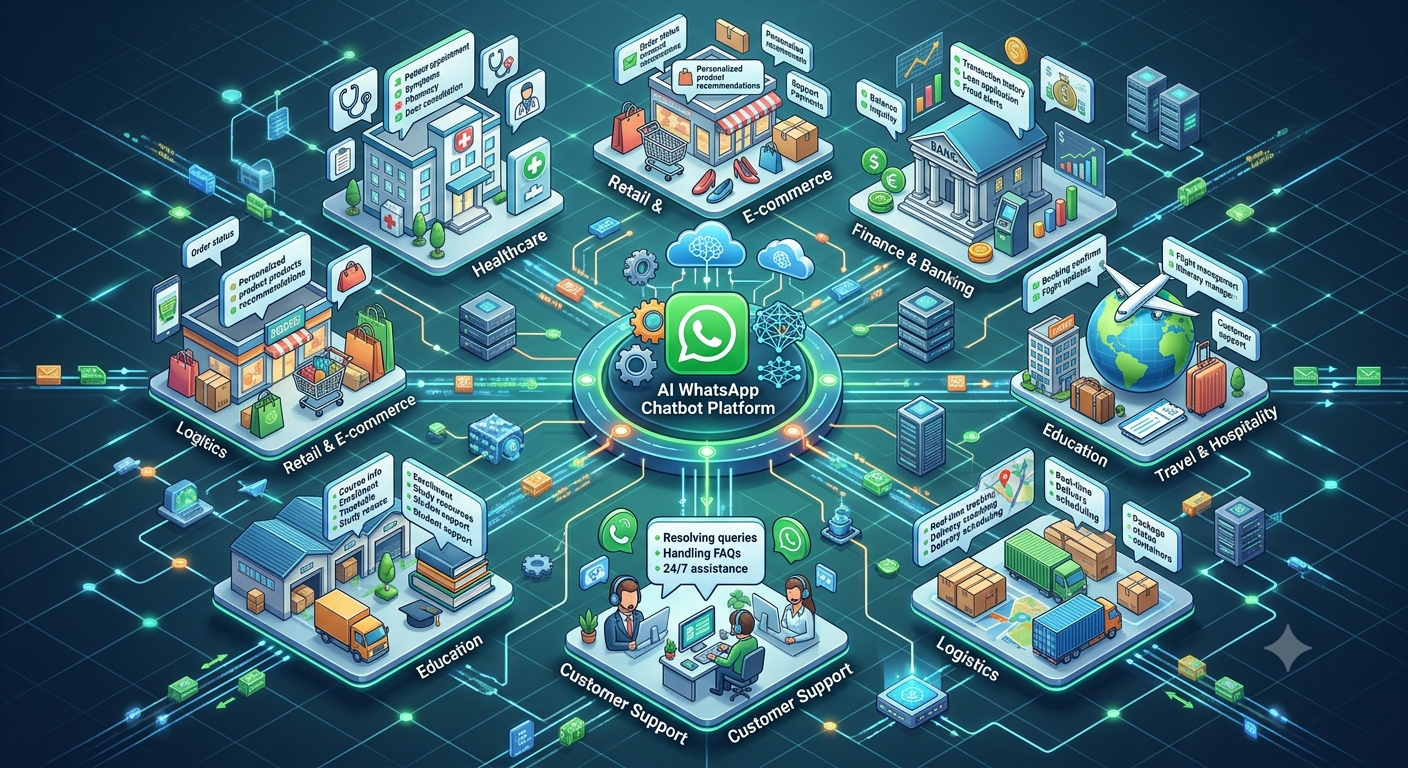
The most useful applications vary by industry. An online retailer may want to help customers find products and track deliveries, while a real estate company may need to qualify property enquiries and arrange site visits. Educational institutions can answer admission questions, and healthcare providers can simplify appointment scheduling and patient communication.
Businesses exploring Nexcomm’s conversational automation solutions can use these industry examples to identify practical opportunities for improving customer communication.
This guide covers 12 industry-specific applications, example workflows, implementation considerations, and ways to evaluate whether a use case is suitable for automation.
Table of Contents
E-commerce and online retail
Healthcare and clinics
Banking, financial services and insurance
Education and coaching institutes
Real estate and property management
Travel and hospitality
Manufacturing and distribution
Logistics and delivery
Automotive and dealerships
Restaurants and food services
Telecommunications and utilities
B2B services and SaaS companies
Cross-industry chatbot workflows
Common implementation mistakes
How to select the right use case for your industry
How to measure chatbot performance
Frequently asked questions
1. E-commerce and Online Retail
Online retailers receive enquiries at several stages of the buying journey. Customers want to understand product specifications, compare options, check delivery availability, confirm payment status, and resolve order-related problems.
An AI WhatsApp chatbot can help customers find relevant information without requiring a support representative to handle every routine question.
Practical use cases
Product discovery and recommendations
Customers can describe what they are looking for, including their preferences, budget, size, colour, or intended use. The chatbot can guide them toward suitable products using an approved product catalogue.
Order tracking
Customers can request the current status of an order. When connected to the retailer’s order management system, the chatbot can retrieve the relevant information or share a tracking link.
Returns and refund enquiries
The chatbot can explain the published return policy, collect basic information about a request, and direct customers to the appropriate returns process. Refund approval and unusual cases can remain with the relevant team.
Cart and purchase follow-ups
Where the business has appropriate customer permission and the messaging complies with applicable platform rules, automated follow-ups can remind shoppers about an unfinished purchase or provide requested product information.
Example workflow
A customer asks about a product.
The chatbot identifies the product category and requirements.
It shares relevant products or asks a clarifying question.
The customer selects an item and receives the product link.
After purchase, the customer can request delivery updates or order assistance.
Best starting point: Product FAQs or order-status enquiries, particularly when product information and order data are accurate and accessible.
2. Healthcare and Clinics
Healthcare organisations often manage appointment requests, clinic timings, doctor availability, preparation instructions, and follow-up reminders. These tasks can create a substantial administrative workload.
A WhatsApp chatbot can simplify routine coordination, provided that patient privacy and clinical safety remain central to the design.
Practical use cases
Appointment scheduling
Patients can ask about available appointments, select a suitable slot, and receive confirmation when the booking system supports these actions.
Appointment reminders
The chatbot can send approved reminders and explain how to reschedule or cancel an appointment.
Clinic information
Patients can ask about opening hours, locations, departments, accepted appointment types, and general administrative procedures.
Preparation instructions
For relevant appointments or tests, the chatbot can share instructions approved by the healthcare provider, such as where to report or which documents to bring.
Follow-up coordination
Patients can receive administrative follow-up messages, links to approved resources, or instructions on how to contact the clinic if they need further assistance.
Example workflow
A patient asks to book an appointment.
The chatbot asks which department or service they need.
It checks availability through the connected scheduling system.
The patient selects a suitable slot.
The booking is confirmed, and a reminder is sent according to the clinic’s communication policy.
Important consideration: A chatbot should not be treated as a replacement for a qualified healthcare professional. Diagnosis, treatment recommendations, urgent symptoms, and other clinical decisions require appropriate professional oversight. Sensitive patient information must be handled using suitable privacy and security controls.
Best starting point: Appointment enquiries, clinic FAQs, and administrative reminders.
3. Banking, Financial Services and Insurance
Banks, non-banking financial companies, insurers, and other financial service providers handle recurring questions about products, application status, documentation, payment dates, and service procedures.
A chatbot can help customers navigate these processes, while sensitive transactions and high-risk decisions require appropriate safeguards.
Practical use cases
Product and eligibility information
Customers can ask general questions about loan categories, insurance products, account services, or documentation requirements. Responses should come from approved and current information.
Application status
When connected to the relevant system and after appropriate verification, the chatbot can help customers check the progress of a loan, insurance claim, or service application.
Document checklists
Applicants can receive a list of required documents and instructions for submitting them through approved channels.
Payment reminders
Subject to applicable consent, messaging, and regulatory requirements, customers can receive reminders about upcoming payment dates and instructions for using official payment channels.
Service request routing
Customers can describe an issue and be directed to the appropriate department, such as loans, cards, insurance claims, or account services.
Example workflow
A customer asks about a loan application.
The chatbot explains the available status-check process.
The customer completes the required verification.
The chatbot retrieves the status from an authorised system or directs the customer to the official portal.
Complex or disputed cases are referred to a trained representative.
Important consideration: Financial information must be handled carefully. Do not expose account details without proper verification or collect passwords, PINs, or other credentials through ordinary chat. Product suitability, credit decisions, claim decisions, and regulated financial advice should remain subject to the relevant human and compliance controls.
Best starting point: General product FAQs, document checklists, and service request routing.
4. Education and Coaching Institutes
Schools, colleges, universities, and coaching institutes receive questions from prospective students, parents, and enrolled learners. Many enquiries concern course details, admission dates, fees, eligibility, class schedules, and application progress.
An AI WhatsApp chatbot can make these details easier to access while helping admission and administrative teams focus on enquiries that require personal attention.
Practical use cases
Admission enquiries
The chatbot can explain available programmes, eligibility criteria, application deadlines, and admission procedures using institution-approved information.
Course discovery
Students can explore course categories based on their interests, educational background, or career goals. The chatbot can share relevant course pages or connect them with a counsellor.
Fee and scholarship information
The chatbot can explain published fee structures, payment procedures, and scholarship application requirements. Individual eligibility decisions should be confirmed by the institution.
Application status
Applicants can receive status information through an authorised integration or be directed to the official student portal.
Class and examination reminders
Students can receive relevant reminders about timetables, examination dates, registration deadlines, and scheduled events.
Example workflow
A student asks about a course.
The chatbot shares the course overview and eligibility criteria.
The student asks about fees or admission dates.
The chatbot provides approved information and the application link.
A student requesting individual guidance is connected to an admissions counsellor.
Best starting point: Admission FAQs and course information, especially during high-enquiry periods.
5. Real Estate and Property Management
Real estate businesses often receive enquiries from people with different budgets, preferred locations, property types, and purchase timelines. Sales teams can spend significant time collecting this information before determining whether a lead is a suitable prospect.
A chatbot can gather initial requirements and help prospective buyers or tenants find the next step.
Practical use cases
Property discovery
The chatbot asks whether the customer is looking to buy, rent, or lease a property and collects preferences such as location, budget, configuration, and property type.
Lead qualification
The system records the prospect’s requirements and, where appropriate, routes the enquiry to the relevant sales representative.
Site visit scheduling
Interested customers can request a visit and choose from available appointment slots when the scheduling system supports real-time availability.
Project information
The chatbot can share approved project details, floor plans, brochures, amenities, location information, and other relevant material.
Existing resident support
Property managers can use chatbot workflows to receive maintenance requests, answer common questions, and communicate updates about service requests.
Example workflow
A prospect asks about available properties.
The chatbot collects the preferred location, budget, and property type.
It shares matching listings from an up-to-date inventory.
The prospect requests a site visit.
The appointment request is recorded and confirmed once availability is verified.
Best starting point: Property enquiry qualification and site visit scheduling.
6. Travel and Hospitality
Travel agencies, hotels, resorts, and tour operators manage enquiries before, during, and after a customer’s trip. These can include room availability, itinerary details, booking confirmations, check-in procedures, cancellations, and local information.
A chatbot can provide convenient access to routine travel information and direct customers to staff when arrangements require special attention.
Practical use cases
Travel package discovery
Customers can ask about destinations, trip duration, group size, package inclusions, and indicative pricing based on current published information.
Hotel and reservation enquiries
The chatbot can explain room categories, amenities, check-in policies, and booking procedures. Availability and final prices should be confirmed through the reservation system.
Booking confirmations
After an authorised booking is completed, customers can receive confirmation details and relevant instructions.
Travel updates
The chatbot can share verified itinerary updates, meeting points, check-in information, and other relevant notices.
Guest assistance
Hotel guests can ask about facilities, dining timings, local transport, and common service requests.
Example workflow
A customer asks about a holiday package.
The chatbot collects the destination, dates, group size, and preferences.
It presents relevant packages using current information.
The customer requests a booking or speaks to a travel consultant.
Confirmed booking details and applicable travel instructions are shared.
Best starting point: Package FAQs, reservation information, and pre-arrival guest communication.
7. Manufacturing and Distribution
Manufacturers, wholesalers, and distributors often coordinate with dealers, retailers, suppliers, and business customers. Common enquiries involve product specifications, stock availability, order status, delivery schedules, and warranty procedures.
These enquiries may be repetitive but require reliable information from internal systems.
Practical use cases
Product catalogue enquiries
Dealers can ask about product specifications, model numbers, technical documents, and approved product information.
Dealer order tracking
Authorised customers can request updates on purchase orders, dispatch status, and expected delivery dates when the chatbot is connected to the relevant systems.
Stock availability
The chatbot can retrieve inventory information for a particular product or location where real-time data is available.
Warranty and service requests
Customers can learn about warranty terms, submit a service request, or find the correct service contact.
Distributor support
The chatbot can direct dealers to relevant order procedures, pricing documentation, sales contacts, or approved resources.
Example workflow
A dealer asks about a product or order.
The chatbot identifies the product, order number, or request category.
It retrieves approved information from the product catalogue or business system.
The dealer receives the answer or a request status.
Exceptions, stock discrepancies, and commercial disputes are sent to the appropriate team.
Best starting point: Product information and dealer order-status enquiries.
8. Logistics and Delivery
Logistics companies manage customer questions about shipments, delivery attempts, tracking numbers, proof of delivery, and delivery exceptions. These enquiries can arrive from individual consumers as well as business customers.
A chatbot can make shipment information easier to access and reduce repetitive tracking requests.
Practical use cases
Shipment tracking
Customers enter a tracking number or use an authorised lookup process to receive the latest available shipment status.
Delivery notifications
Customers can receive relevant updates when a shipment is dispatched, out for delivery, delayed, or marked as delivered.
Delivery instructions
Where operational policies allow, customers can request supported changes or provide instructions for the delivery team.
Failed delivery assistance
The chatbot can explain the next steps after an unsuccessful delivery attempt and direct the customer to the correct rescheduling process.
Proof-of-delivery enquiries
Customers can be directed to approved proof-of-delivery records or support channels when a delivery needs investigation.
Example workflow
A customer asks where a shipment is.
The chatbot requests the tracking reference.
The tracking system returns the latest available status.
The chatbot shares the status and any relevant next steps.
Delayed, lost, or disputed shipments are referred to the support team.
Best starting point: Shipment tracking and delivery-status enquiries.
9. Automotive and Dealerships
Automotive dealerships, service centres, and vehicle businesses manage enquiries about models, features, test drives, servicing, maintenance schedules, and spare parts.
A chatbot can support customers before and after a purchase while helping sales and service teams organise incoming requests.
Practical use cases
Vehicle discovery
Customers can compare approved specifications, available variants, features, and indicative prices.
Test-drive scheduling
The chatbot collects the customer’s preferred model, dealership location, and requested time. The appointment should be confirmed only after checking actual availability.
Service appointments
Vehicle owners can request a service slot and receive confirmation, reminders, or preparation instructions.
Service status
Where the workshop system is connected, customers can request an update on their vehicle’s service progress.
Parts and accessories enquiries
Customers can ask about compatible accessories or parts and be directed to an authorised service representative for confirmation.
Example workflow
A customer asks about a vehicle model.
The chatbot shares relevant specifications and available information.
The customer requests a test drive.
The chatbot collects the preferred location and time.
The dealership confirms the appointment and follows up as needed.
Best starting point: Test-drive requests and service appointment scheduling.
10. Restaurants and Food Services
Restaurants, cafés, catering businesses, and food delivery operators manage enquiries about menus, operating hours, table availability, delivery areas, dietary information, and order status.
A chatbot can help customers find information and complete supported service requests without waiting for staff to respond manually.
Practical use cases
Menu discovery
Customers can view current menus, prices, available options, and approved ingredient or allergen information.
Table reservations
The chatbot collects the preferred date, time, party size, and any relevant preferences. A booking should be confirmed only after the reservation system verifies availability.
Order tracking
Customers can check the progress of an order through an authorised integration.
Catering enquiries
The chatbot collects event dates, guest counts, location, menu preferences, and contact details for a catering quotation.
Customer feedback
After a visit or order, customers can be invited to share feedback through an appropriate, permission-based communication workflow.
Example workflow
A customer asks about catering.
The chatbot collects the event date, location, and estimated guest count.
It shares the available catering information.
The enquiry is forwarded to the catering team.
The team reviews requirements and provides a tailored quotation.
Best starting point: Menu FAQs, catering enquiries, or reservation requests.
11. Telecommunications and Utilities
Telecommunications providers, internet service providers, and utility companies handle questions about plans, bills, service availability, outages, installations, and technical support.
A chatbot can help customers navigate routine service requests while directing complex technical issues to the appropriate team.
Practical use cases
Plan and service information
Customers can compare published plan details, service features, and relevant terms.
Bill and payment enquiries
The chatbot can explain billing procedures, due dates, and official payment methods. Account-specific information should only be provided after appropriate verification.
Installation scheduling
New customers can request an installation appointment or check the status of an existing request.
Basic troubleshooting
The chatbot can guide users through approved troubleshooting steps for common issues, such as checking connections or restarting supported equipment.
Outage and service updates
Where verified operational data is available, customers can receive relevant information about service disruptions and restoration updates.
Example workflow
A customer reports a connectivity problem.
The chatbot identifies the service and issue category.
It offers approved troubleshooting steps or checks available service-status information.
If the issue remains unresolved, it creates or routes a support request.
The customer receives a reference number or the next available instructions.
Best starting point: Service FAQs and basic troubleshooting.
12. B2B Services and SaaS Companies
Business-to-business companies often receive enquiries about product capabilities, subscription plans, onboarding, account access, billing, and technical support. Their customers may also need help understanding processes or finding the right documentation.
A chatbot can support these interactions while ensuring that complex account and technical issues reach the right team.
Practical use cases
Product and service discovery
Prospective customers can explore approved product information, supported use cases, and available plans.
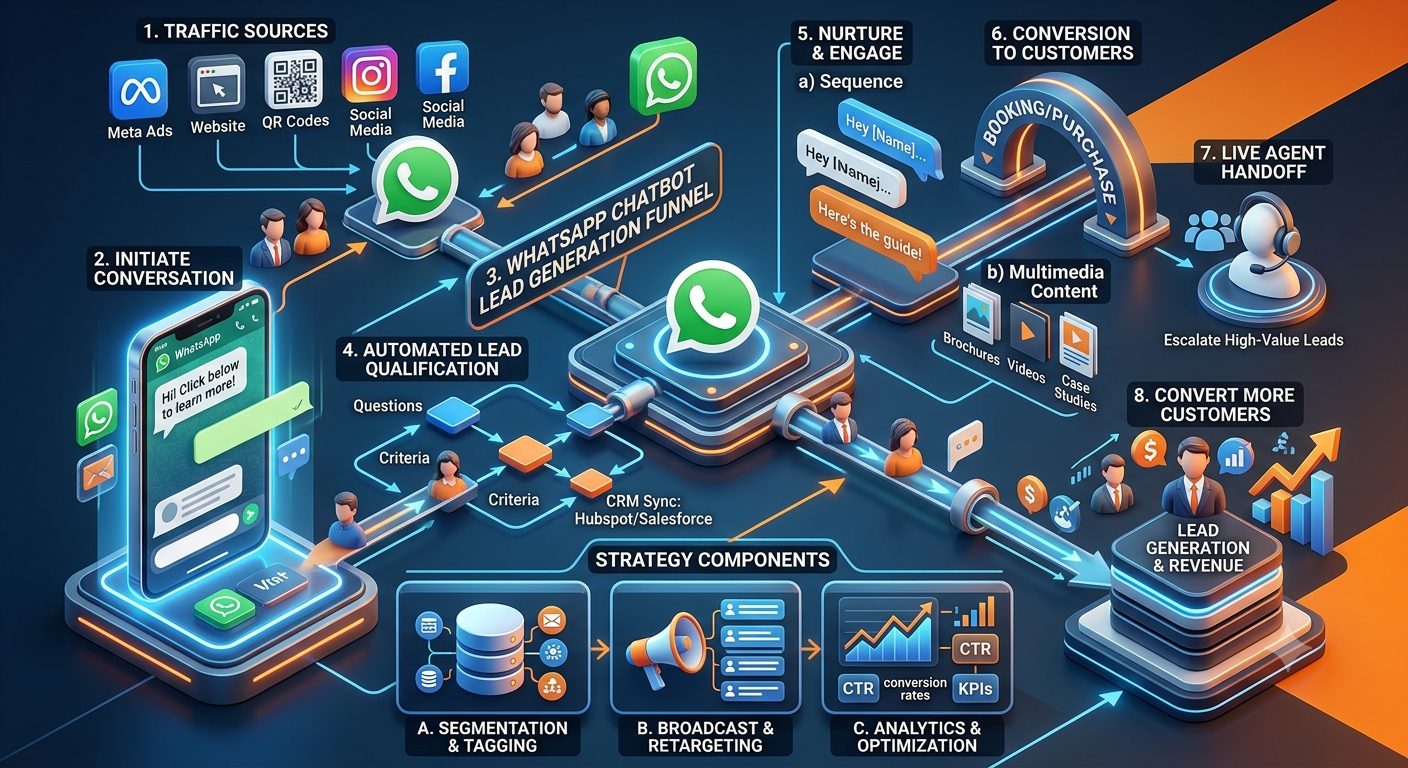
Lead qualification
The chatbot can collect details such as company type, team size, business requirement, and expected implementation timeline.
Demo requests
Prospects can request a demonstration and provide their preferred date or business requirements for follow-up.
Customer onboarding
New customers can receive setup instructions, links to documentation, and guidance through common initial tasks.
Technical support triage
The chatbot can identify the product, error category, and basic troubleshooting history before routing the issue to technical support.
Billing and subscription FAQs
Customers can find information about invoices, renewal procedures, and subscription terms. Sensitive billing actions should use appropriate verification and authorised systems.
Example workflow
A prospective customer asks about a business solution.
The chatbot identifies the customer’s requirements.
It shares relevant product information.
The customer requests a demonstration.
The request is assigned to the appropriate sales representative with the captured context.
Best starting point: Lead qualification, demo requests, or common onboarding questions.
13. Cross-Industry WhatsApp Chatbot Workflows
Although each industry has different requirements, many businesses can begin with similar workflow patterns. The key is to adapt the conversation to the customer’s context and connect it to reliable information.
Workflow | Typical application | Information required | Human involvement |
|---|---|---|---|
Frequently asked questions | Product, policy, service, or admission queries | Approved and current knowledge base | When an answer is unavailable or disputed |
Appointment scheduling | Clinics, dealerships, consultations, and service centres | Scheduling rules and current availability | For exceptions or special requests |
Lead qualification | Real estate, education, B2B, and travel | Defined qualification questions | For sales consultation and negotiation |
Status tracking | Orders, shipments, applications, and service tickets | Access to the relevant status system | For delays, discrepancies, and disputes |
Request collection | Complaints, maintenance, service, and support | Request categories and required fields | For investigation and resolution |
Reminders and notifications | Appointments, deadlines, and service updates | Accurate event data and communication permissions | When customers request changes or assistance |
Example: A General Customer Enquiry Workflow
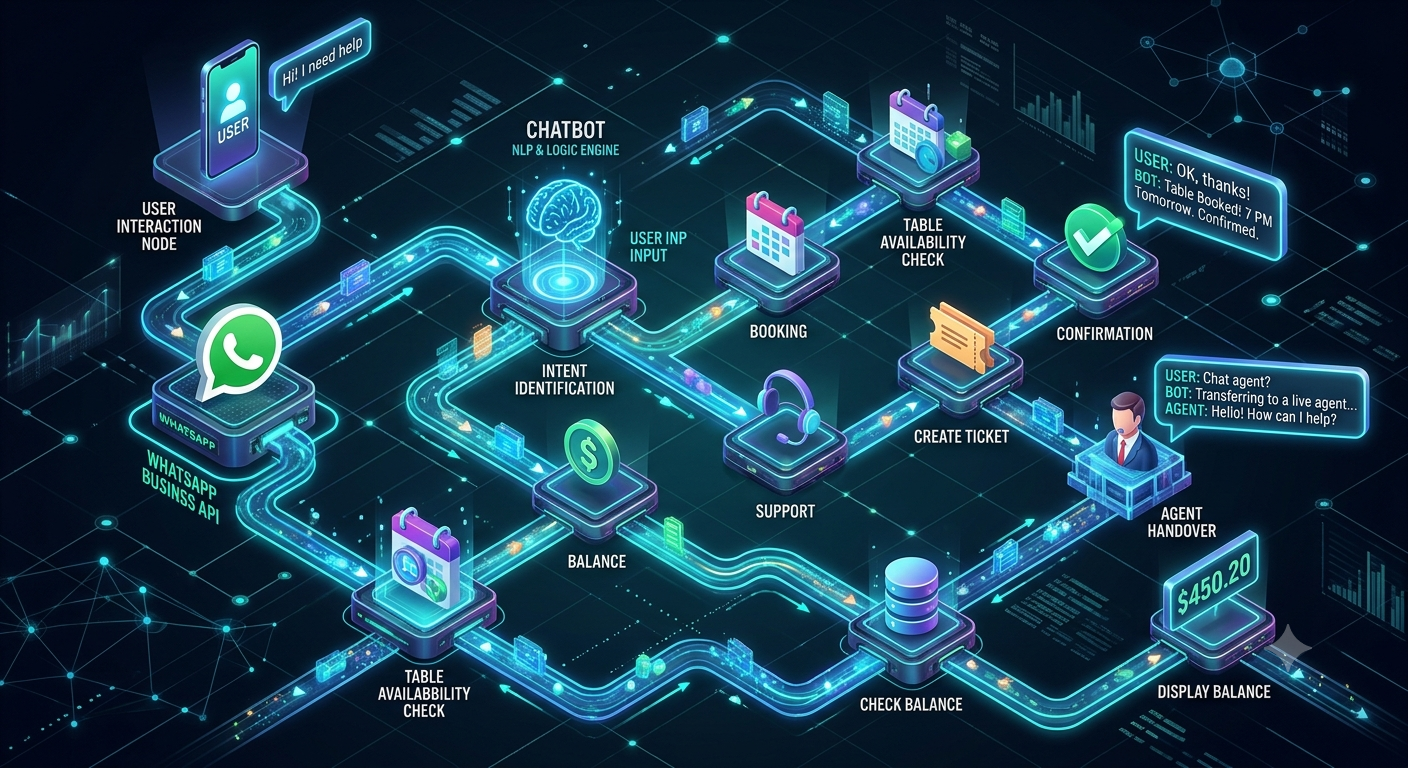
A reusable workflow for many industries follows this sequence:
Identify the intent: Determine what the customer wants to know or accomplish.
Collect necessary information: Ask only for details required to handle the request.
Provide a relevant response: Use approved information or retrieve data from an authorised system.
Confirm the next step: Share a booking confirmation, status, link, request reference, or other appropriate outcome.
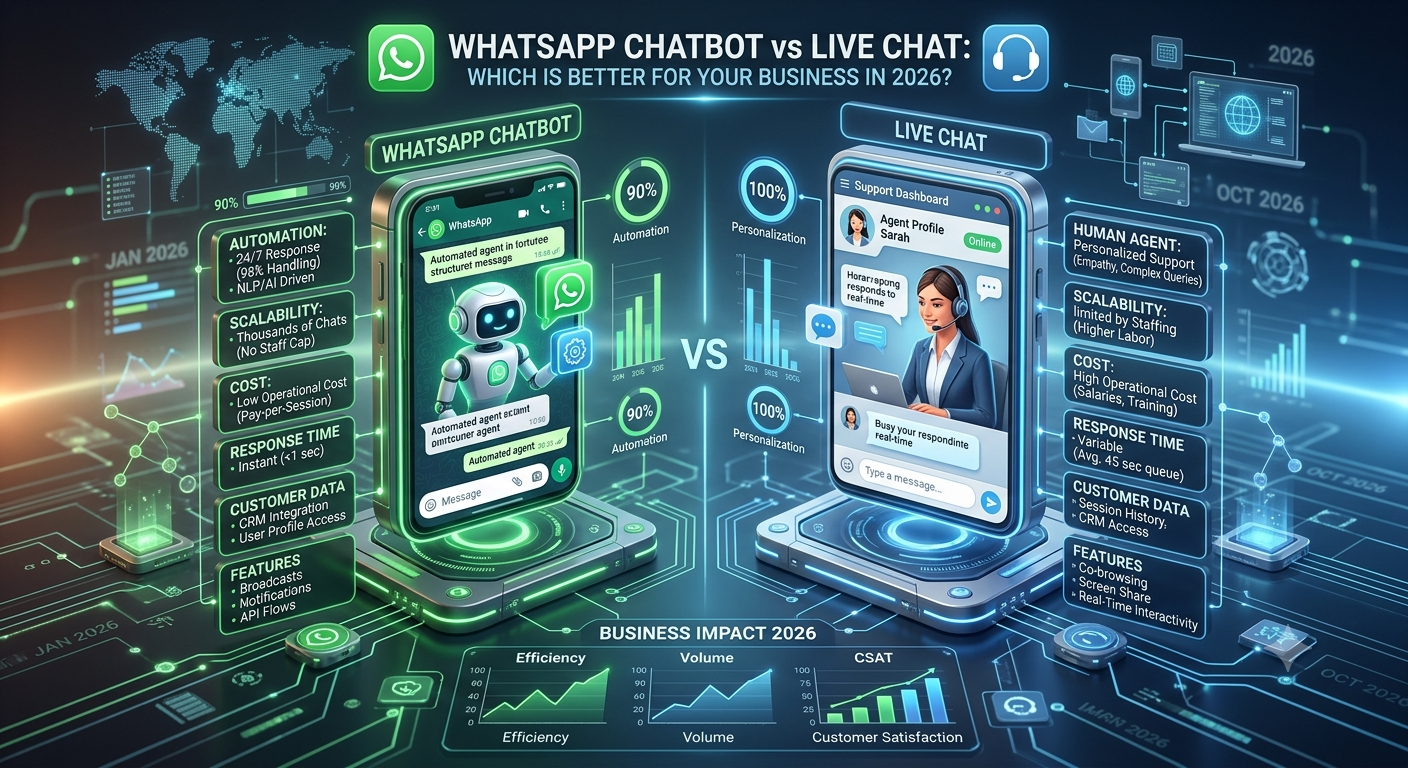
Escalate when needed: Transfer unresolved or sensitive requests to a human representative.
The conversation should not force every customer through the same long sequence. Customers should be able to correct their answers, ask a different question, or request human assistance where available.
14. Common Mistakes to Avoid When Implementing an AI WhatsApp Chatbot
Choosing a useful use case is only the beginning. The quality of the information, workflow design, integrations, and escalation process determines whether automation genuinely helps customers.
Automating too many processes at once
Trying to automate every customer interaction during the first rollout increases complexity and makes it harder to identify the source of problems.
Better approach: Start with one clearly defined workflow, measure its performance, and expand gradually.
Using outdated or incomplete information
A chatbot may provide incorrect answers if its knowledge base contains old prices, expired policies, discontinued products, or incorrect procedures.
Better approach: Assign responsibility for reviewing content and define how changes to business information are reflected in chatbot responses.
Making customers repeat themselves
Customers become frustrated when they have already supplied information but must provide it again after an escalation.
Better approach: Pass relevant conversation context to the human agent or support system, subject to appropriate privacy controls.
Treating AI responses as automatically correct
AI can misunderstand ambiguous questions or generate answers that are not supported by the available information.
Better approach: Use approved sources, test realistic customer questions, define when the chatbot should ask for clarification, and provide a fallback when it cannot answer reliably.
Failing to plan for exceptions
A workflow may work well for ordinary requests but fail when a payment is disputed, an appointment is unavailable, or an order has an unusual status.
Better approach: Define exception paths and make sure customers know what to do next.
Collecting unnecessary personal information
Asking customers for excessive personal or sensitive details increases privacy risks and can make the experience more difficult.
Better approach: Collect only the information required for the task and use suitable access, retention, verification, and data-protection controls.
Measuring activity instead of outcomes
A high number of chatbot conversations does not necessarily mean customers are receiving useful answers.
Better approach: Evaluate resolution, completion, customer feedback, escalation quality, and the business outcome relevant to the selected workflow.
15. How to Select the Right Use Case for Your Industry
Before implementing AI, assess each potential workflow against five practical criteria. The objective is to find tasks that occur frequently, follow a predictable process, use reliable information, and have a clear fallback when human assistance is needed.
Five Criteria to Evaluate
1. Frequency of requests
Prioritise questions or tasks that customers ask about regularly, such as order status, appointment availability, product details, delivery updates, or service requests.
2. Repeatability of the process
Choose workflows with consistent steps and predictable answers. Highly variable requests may require more advanced handling or direct assistance from a team member.
3. Readiness of information and systems
Check whether the chatbot can access accurate FAQs, product information, appointment schedules, order data, or other required business information. Outdated or incomplete information can lead to poor customer experiences.
4. Risk of an incorrect response
Consider the consequences of a mistake. General product enquiries may be suitable for automation, while medical advice, financial decisions, sensitive personal information, and other high-impact situations require stricter controls and appropriate human oversight.
5. Availability of human assistance
Define what happens when the chatbot cannot answer confidently, a customer raises a complaint, or a request requires an exception. A clear escalation process helps prevent conversations from reaching a dead end.
Example: Comparing Potential Use Cases
Potential use case | Frequency | Repeatability | Risk | Suggested approach |
|---|---|---|---|---|
Order-status enquiries | High | High | Low to moderate | Strong starting point if order data is accessible |
Appointment reminders | High | High | Low to moderate | Suitable for a structured workflow |
Product recommendations | Medium to high | Medium | Low to moderate | Start with approved product information |
Complex customer complaints | Medium | Low to medium | Moderate to high | Use chatbot triage with human escalation |
Personalised medical guidance | Varies | Low | High | Keep qualified professionals responsible for advice |
These are illustrative examples, not universal ratings. Suitability depends on the business, available data, customer expectations, and applicable regulations.
A Practical Way to Start
Select one workflow with a clear business objective, such as reducing repetitive enquiries or making appointment booking easier. Define the expected outcome, test the chatbot using realistic customer questions, and review its accuracy, completion rate, escalation rate, and customer feedback.
Expand to additional workflows only after the initial use case performs reliably.
Key takeaway: The best first use case is not necessarily the most sophisticated one. It is the workflow that solves a meaningful customer problem, can be implemented reliably, and has a clear path to human assistance when needed.
16. How to Measure WhatsApp Chatbot Performance
A chatbot should be evaluated against the business problem it was designed to solve. Different workflows need different performance measures, so select a small group of metrics that reflect the intended outcome.
Key metrics to track
Resolution rate: The proportion of eligible customer enquiries resolved through the intended workflow without unnecessary additional contact.
Task completion rate: The percentage of conversations that successfully complete a defined action, such as submitting an enquiry or booking an appointment.
Escalation rate: The proportion of conversations transferred to a human. A high rate is not automatically bad; it may reflect complex enquiries or a deliberate safety measure.
Response accuracy: How often the chatbot provides correct, relevant answers based on approved information.
Customer satisfaction: Feedback from customers after the interaction, collected in a suitable and non-intrusive way.
Average handling time: The time needed to resolve a request, including human assistance where relevant.
Business conversion rate: For lead-generation workflows, the proportion of qualified enquiries that progress to the next meaningful stage, such as a demo, site visit, consultation, or purchase.
Establish a baseline before rollout
Record how the existing process performs before introducing automation. Compare the results after launch using the same definitions and a comparable period.
For example, if the objective is to improve appointment scheduling, measure completed bookings, booking errors, customer satisfaction, and the amount of staff time required. If the objective is customer support, focus on resolution quality, accuracy, escalation, and repeat contacts.
Avoid relying on a single metric. Faster responses are useful only when the information is correct and customers can complete their tasks successfully.
17. Frequently Asked Questions
What are the most common AI WhatsApp chatbot use cases?
Common use cases include answering frequently asked questions, qualifying sales leads, scheduling appointments, sharing order and delivery updates, collecting service requests, providing onboarding guidance, and routing customer enquiries to the appropriate team.
The most suitable application depends on the industry, customer needs, available information, and the complexity of the workflow.
Which industries can benefit from AI WhatsApp chatbots?
E-commerce, healthcare administration, education, real estate, banking, insurance, travel, manufacturing, logistics, automotive, restaurants, telecommunications, and B2B services can all explore chatbot applications.
However, the level of automation should reflect the risk, regulatory requirements, and human judgement involved in each industry.
Can a WhatsApp chatbot qualify leads automatically?
Yes. A chatbot can ask relevant questions, collect prospect requirements, and categorise enquiries using predefined criteria. It can then route suitable prospects to a sales team or help them request a consultation.
Lead qualification works best when the questions are relevant, the criteria are clear, and prospects can request human assistance.
Can a chatbot integrate with a CRM or ERP system?
A chatbot can be connected to CRM, ERP, booking, order-management, or support systems when the required integration is available and appropriately configured.
The integration determines which actions are possible. For example, a chatbot may be able to retrieve order status, record a lead, create a support request, or check appointment availability. Access should be limited to the information and actions required for the workflow.
Should every customer conversation be automated?
No. Automation is most suitable for predictable, well-defined tasks. Complex complaints, unusual requests, sensitive decisions, and situations requiring professional judgement may need a human-led process.
A good implementation makes it clear when a customer can reach a person and ensures the transition is handled appropriately.
How should a business choose its first chatbot use case?
Start with a recurring customer problem that has a clear outcome, reliable source information, and a manageable level of risk. Test the workflow with realistic examples, define an escalation process, and measure its performance before expanding.
Does an AI WhatsApp chatbot guarantee higher sales or lower costs?
No. Results depend on the quality of implementation, the relevance of the workflow, customer adoption, data accuracy, integration quality, and ongoing maintenance.
Businesses should establish baseline performance and evaluate actual outcomes rather than assuming automation will automatically improve every metric.
Conclusion
AI WhatsApp chatbots can support a wide range of business processes, from product discovery and appointment scheduling to order tracking, dealer support, lead qualification, and customer service.
The strongest opportunities are usually found in workflows that customers repeat frequently and that businesses can handle using reliable information and clearly defined processes. More sensitive or unpredictable interactions need stronger safeguards and a clear route to human assistance.
Rather than automating every conversation at once, businesses should identify one high-value use case, test it with real-world scenarios, measure its results, and improve the workflow over time.
By selecting applications that match their industry and customer needs, businesses can make WhatsApp conversations more useful, organised, and consistent without losing the human support that customers sometimes need.
More in AI and chatbot guides.