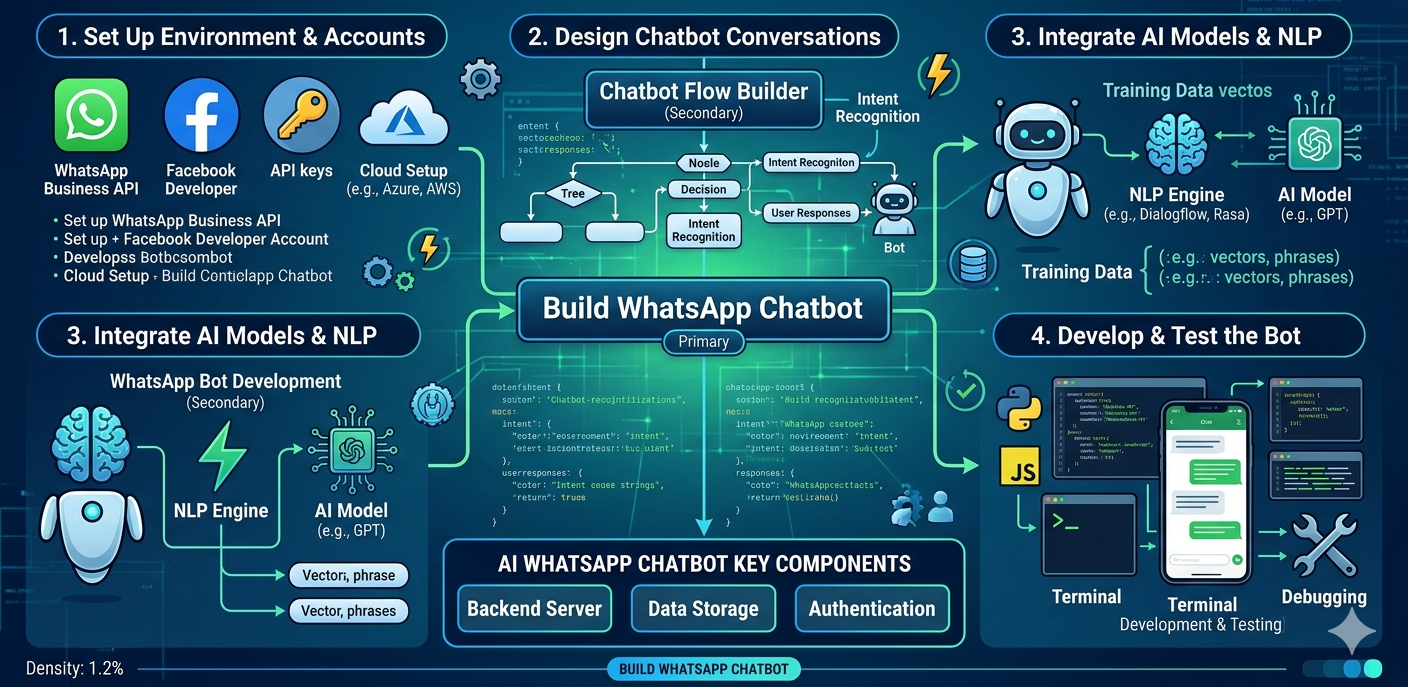
🚀 How to Build an AI WhatsApp Chatbot: Step-by-Step Guide
Customer expectations have changed dramatically in recent years. Modern consumers want instant responses, personalized experiences, and support available 24/7. Businesses that rely solely on human agents often struggle to manage growing customer inquiries efficiently.
This is why organizations are investing in AI-powered WhatsApp automation.
An AI WhatsApp chatbot can answer customer questions, automate support, generate leads, schedule appointments, process inquiries, and improve customer engagement at scale. Combined with the power of the WhatsApp Business API, chatbots have become one of the most effective customer communication tools available today.
If you're planning to build a WhatsApp chatbot for your business, this guide will walk you through the entire process—from planning and setup to deployment and optimization.
🤖 What Is an AI WhatsApp Chatbot?
An AI WhatsApp chatbot is an automated virtual assistant that communicates with customers through WhatsApp using artificial intelligence and natural language processing (NLP).
Unlike traditional rule-based bots, AI-powered chatbots can:
✅ Understand customer intent
✅ Respond naturally
✅ Personalize conversations
✅ Learn from interactions
✅ Automate business workflows
They can operate continuously without requiring human intervention for routine tasks.
🎯 Why Businesses Are Building WhatsApp Chatbots
Companies use chatbots to:
- Improve customer support
- Generate leads automatically
- Reduce operational costs
- Increase sales conversions
- Provide 24/7 assistance
- Automate repetitive inquiries
As WhatsApp continues to dominate mobile communication, chatbot adoption is rapidly increasing across industries.
🛠 Prerequisites Before You Build a WhatsApp Chatbot
Before starting development, you'll need a few essential components.
1. WhatsApp Business API Access
Professional chatbot deployment requires access to the WhatsApp Business API.
The API allows:
- Automated messaging
- Workflow automation
- CRM integration
- Chatbot deployment
2. Verified Business Account
A verified business profile improves customer trust and credibility.
Requirements typically include:
✅ Business Website
✅ Company Details
✅ Facebook Business Manager Verification
3. Chatbot Platform or Development Framework
You can choose between:
No-Code Platforms
Ideal for non-technical users.
Examples:
- Drag-and-drop chatbot builders
- Visual workflow tools
Custom Development
Ideal for advanced businesses requiring custom functionality and integrations.
📋 Step 1: Define Your Chatbot Objectives
Before development begins, clearly define the chatbot's purpose.
Common objectives include:
Customer Support
- FAQs
- Complaint handling
- Service requests
Lead Generation
- Capture inquiries
- Qualify leads
- Schedule demos
Sales Automation
- Product recommendations
- Pricing information
- Order assistance
Appointment Booking
- Healthcare
- Education
- Professional services
Clear objectives help create better conversation flows.
🧠 Step 2: Design the Chatbot Conversation Flow
Conversation flow is the foundation of successful WhatsApp bot development.
Start by mapping common customer journeys.
Example Customer Support Flow
Customer → Ask Question
↓
Chatbot → Understand Intent
↓
Provide Answer
↓
Issue Resolved?
↓
Yes → End Conversation
↓
No → Transfer to Agent
🎨 Best Practices for Chatbot Flow Design
A strong chatbot flow builder strategy includes:
✅ Simple navigation
✅ Clear options
✅ Logical conversation paths
✅ Human-like responses
✅ Escalation options
Avoid overly complex decision trees.
⚙️ Step 3: Choose AI and NLP Technology
Artificial intelligence allows chatbots to understand natural language.
Popular AI capabilities include:
Intent Recognition
Identifies customer goals.
Example:
"Track my order"
Intent → Order Tracking
Entity Extraction
Captures specific details.
Example:
Order Number: #12345
Context Awareness
Allows chatbots to maintain conversation continuity.
This creates more natural customer experiences.
🔗 Step 4: Integrate WhatsApp Business API
The next step is connecting your chatbot to WhatsApp.
The API enables:
📱 Message Delivery
📩 Template Messaging
🔄 Two-Way Communication
📊 Analytics
🔗 CRM Connectivity
Integration can be completed through:
- API providers
- CPaaS platforms
- Custom development environments
📂 Step 5: Connect Business Systems
A chatbot becomes significantly more valuable when connected to existing business tools.
Common integrations include:
CRM Systems
- Lead management
- Customer profiles
- Sales pipelines
ERP Systems
- Inventory checks
- Order management
Helpdesk Platforms
- Ticket creation
- Support escalation
Marketing Automation Tools
- Campaign workflows
- Customer segmentation
🤖 Step 6: Train the AI Model
AI chatbots require training data.
Examples include:
Customer Questions:
- What are your prices?
- Where is my order?
- How can I contact support?
Expected Responses:
- Pricing information
- Tracking details
- Support instructions
The more training data provided, the more accurate the chatbot becomes.
🧪 Step 7: Test the Chatbot Thoroughly
Testing is one of the most important stages.
Evaluate:
Response Accuracy
Can the bot understand customer intent?
Conversation Flow
Do conversations feel natural?
Error Handling
Can the bot recover from unexpected inputs?
Integration Testing
Do CRM and backend systems work correctly?
Testing prevents customer frustration after deployment.
🚀 Step 8: Deploy Your AI WhatsApp Chatbot
Once testing is complete:
✅ Publish chatbot
✅ Connect live WhatsApp number
✅ Enable workflows
✅ Monitor conversations
Deployment should be gradual to ensure stability.
📊 Step 9: Monitor and Optimize Performance
Successful chatbot implementation is an ongoing process.
Track key metrics such as:
📈 Response Rate
📈 Resolution Rate
📈 Customer Satisfaction
📈 Lead Conversion Rate
📈 Average Response Time
Use analytics to continuously improve performance.
🏢 Industry Use Cases for AI WhatsApp Chatbots
Ecommerce
- Product recommendations
- Cart recovery
- Order tracking
Healthcare
- Appointment booking
- Patient reminders
Education
- Admissions support
- Student inquiries
Real Estate
- Lead qualification
- Property recommendations
Banking & Finance
- Customer support
- Account inquiries