
IVR for Logistics, Transport and Courier Companies
A keypad menu gives booking, status and accounts calls their own desk and their own mobile, while a separate number keeps drivers and hub staff on the dispatcher's phone.
What is Cloud IVR?
Cloud IVR (Interactive Voice Response) is a telephony system that answers incoming calls with an automated greeting and menu — such as "Press 1 for Sales, Press 2 for Support" — and routes callers to the right agent or department without manual intervention. Unlike traditional PBX setups, a cloud-based IVR requires no physical hardware or on-premise installation. It allows businesses to handle high call volumes, maintain a consistent professional experience, and ensure that no customer call goes unanswered — regardless of the time of day.
Who is this for?
Courier and parcel companies, freight and transport operators, third-party logistics firms, fleet operators and delivery networks that take calls from shippers, consignees and drivers.
IVR for Logistics & Transport
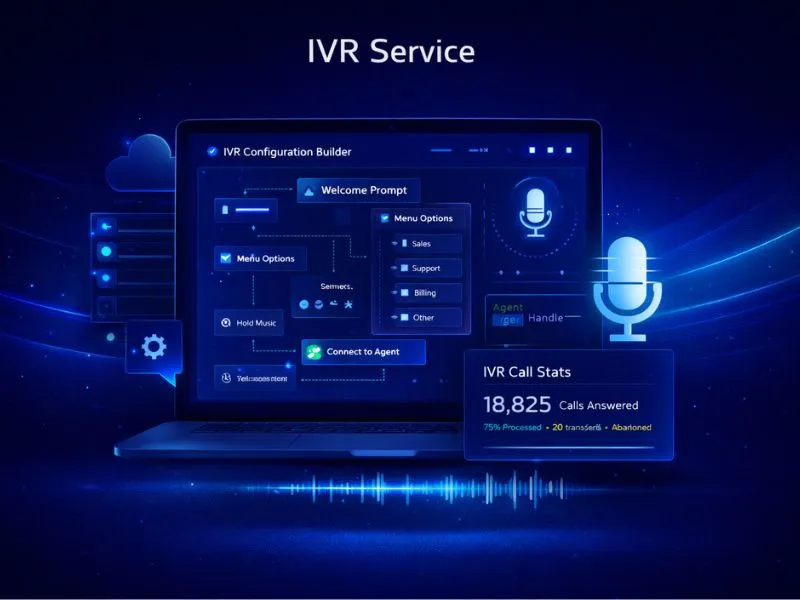
IVR for logistics companies is a cloud phone menu on a virtual number: callers press a key and reach booking, consignment status support or accounts without a receptionist. It needs no hardware, and your team takes the calls on their own mobiles.
A courier or freight number rings for many reasons at once. A shipper asks for a pickup, or when a booked truck will be placed. A consignee who missed the delivery attempt wants the next slot. Someone with an LR or AWB number asks where the consignment is, or for a copy of the POD, and a merchant asks when collected cash will be remitted. A multi-level IVR gives these calls different keys, so booking calls reach the pickup desk, status calls reach support and remittance questions reach accounts. Dispatchers, drivers and hub staff use a separate virtual number that rings the dispatcher's mobile, so a call from the road does not join the customer queue.
When agents are busy, status callers can queue with hold music, go to voicemail or move to a backup number, and a missed call raises an SMS or email alert to the support lead, who can ring the customer back. Calls can be recorded to settle a remittance or delivery dispute; recordings are encrypted, and access control lists and data retention policies apply. Courier, freight and transport businesses can choose a 10-digit mobile number or a toll-free 1800 number. The menu behind it stays the same either way.
How Our IVR System Works
Get Virtual Number
Select a 10-digit mobile number or a toll-free 1800 number to serve as your primary business helpline.
Configure Menu
Record your greeting and design your IVR call tree — for example, Press 1 for English, Press 2 for Hindi — based on how your business operates.
Map Agents
Add your team members' mobile numbers so that routed calls are forwarded directly to the right person.
Go Live
Your number is active and ready. Incoming calls are received by our cloud servers and routed according to the logic you have set up.
Monitor Calls
Review call recordings, logs, and performance data from your dashboard to maintain service quality and accountability.
Key Features
Call Recording
Capability: Cloud Storage
Benefit:
Multi-Level IVR
Capability: Complex Routing
Benefit:
Call Tracking
Capability: Missed Call Alerts
Benefit:
CRM Integration
Capability: Webhook Support
Benefit:
Office Hours
Capability: Time-based Routing
Benefit:
Stickiness
Capability: Agent Persistence
Benefit:
How Logistics Teams Use IVR
Pickup and truck booking calls
Pickup requests reach the booking desk, and a shipper asking when a booked truck will be placed reaches the same team instead of waiting behind consignment status queries.
Consignment status calls
Callers with an LR or AWB number go to the support desk, which can trace the shipment, share a POD copy and arrange the next delivery attempt for a consignee who missed the first.
Driver and hub dispatch calls
A separate virtual number rings the dispatcher's mobile, so drivers and hub staff reach dispatch directly and the customer helpline stays free for shippers and consignees.
COD remittance queries
Remittance questions from merchants go to the accounts desk, and the recording is on hand if a dispute over collected cash needs to be reviewed.
Why Logistics Companies Choose Nexcomm IVR
Zero Infrastructure
No EPABX hardware, no wiring, no maintenance overhead. The entire system runs on the cloud and is ready in hours.
99.99% Uptime
Our redundant server architecture keeps your business line available at all times — even during peak hours.
User Friendly
The dashboard is built for business users. Modify your call routing logic, update greetings, or add agents in minutes.
Scalable
Add or remove agents instantly as your team size changes — no technical support needed to make adjustments.
Security & Privacy
Call data is sensitive business information. Nexcomm applies enterprise-grade protections across every layer of your communication logs.
POST /api/v1/messages
// Request Payload
{
"to": "+919876543210",
"body": "Your OTP is 1234",
"type": "transactional"
}
Developer Friendly API
Build fully custom telephony workflows and voice applications using our programmable voice API.
Transparent Pricing
Our IVR plans include a fixed monthly rental for your virtual number along with variable charges based on call minutes consumed. Pricing scales with your usage — contact us for a tailored quote based on your expected call volumes and team size.
Check IVR PlansNo hidden fees. Pay for what you use.
Frequently Asked Questions
Find Services Available Near You
Explore our service availability across major cities, states, and industries.
Politics & Election Campaigns
Voter outreach & campaign management
Education & Coaching Institutes
Student engagement & admissions
Real Estate Developers & Brokers
Property alerts & lead generation
Healthcare & Hospitals
Appointment reminders & patient care
E-commerce & Retail
Order updates & promotional offers
Finance & NBFC
Secure transactions & fraud alerts
Travel & Hospitality
Booking confirmations & travel updates
Manufacturing & Industrial
Supply chain & workforce management
IT & SaaS Companies
Product updates & user onboarding
Event Management
Event updates & ticket delivery
Logistics, Transport & Courier
Shipment alerts & delivery coordination
Two-Wheeler & Car Showrooms
Test drives, bookings & service reminders
Tours & Holiday Packages
Holiday enquiries, itineraries & booking follow-ups