
IVR for Two-Wheeler and Car Showrooms
A buyer asking for a price should not wait behind an owner whose first free service is due: each caller picks sales, test drive, service or used cars.
What is Cloud IVR?
Cloud IVR (Interactive Voice Response) is a telephony system that answers incoming calls with an automated greeting and menu — such as "Press 1 for Sales, Press 2 for Support" — and routes callers to the right agent or department without manual intervention. Unlike traditional PBX setups, a cloud-based IVR requires no physical hardware or on-premise installation. It allows businesses to handle high call volumes, maintain a consistent professional experience, and ensure that no customer call goes unanswered — regardless of the time of day.
Who is this for?
Car and two-wheeler dealerships, multi-brand showrooms and used-car dealers that take sales, service and exchange calls.
IVR for Auto Showrooms
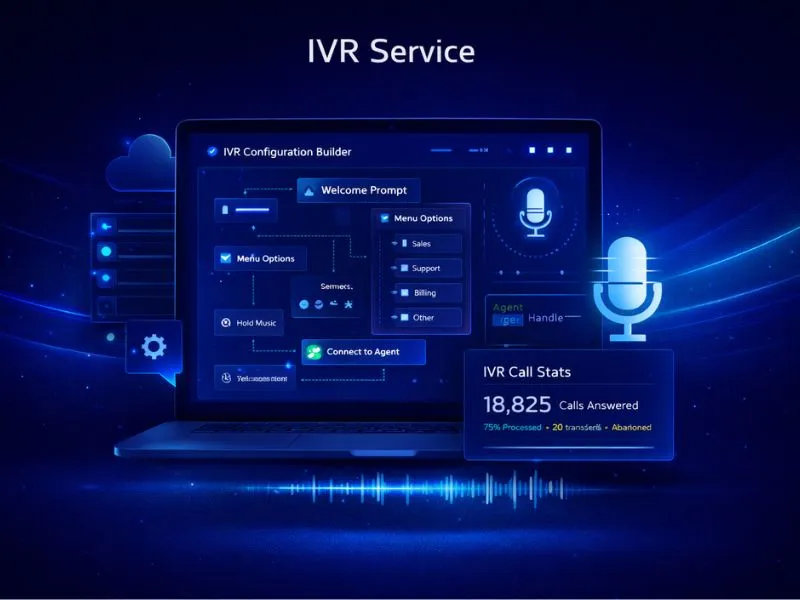
IVR for car and two-wheeler showrooms is a cloud phone menu where callers press a key for sales, test drive, service, accessories or used cars, and the call rings the mobiles of the showroom team. One busy front desk no longer answers everything.
A showroom hears from callers at very different points. Some saw a campaign or an online listing and want a price. Some want a test drive. Others have booked a vehicle and ask about delivery day, or own one that is due for its first free service. Each team gets its own key: new-vehicle enquiries ring a sales executive, service bookings reach the workshop advisor, and exchange or used-car calls reach their own desk. Language selection can come first, in the local language, Hindi or English, before the caller reaches the department menu. A buyer who rings again can be reconnected to the executive they spoke with last time.
Webhooks can push call data into your CRM, so an enquiry call reaches the sales team's records instead of living in one person's phone. Missed calls raise an SMS or email alert, and office hours routing plays a message when the showroom is closed. Managers can replay recorded calls to coach sales and service staff.
How Our IVR System Works
Get Virtual Number
Select a 10-digit mobile number or a toll-free 1800 number to serve as your primary business helpline.
Configure Menu
Record your greeting and design your IVR call tree — for example, Press 1 for English, Press 2 for Hindi — based on how your business operates.
Map Agents
Add your team members' mobile numbers so that routed calls are forwarded directly to the right person.
Go Live
Your number is active and ready. Incoming calls are received by our cloud servers and routed according to the logic you have set up.
Monitor Calls
Review call recordings, logs, and performance data from your dashboard to maintain service quality and accountability.
How Auto Showrooms Use IVR
New-vehicle enquiries
Callers from campaigns and online listings ring a sales executive, and a missed call raises an SMS or email alert so the team can call back without delay.
Test-drive requests
Test drives ring the demo coordinator or a sales executive, who confirms a slot with the caller.
Service and workshop calls
Owners due for the first free service, or asking about a job card or a pickup, reach the service advisor, and calls queue with hold music when advisors are busy.
Used-car desk routing
Owners who want to sell or exchange a vehicle reach the used-car desk, where a recording helps the team check the exchange value that was discussed.
Frequently Asked Questions
Find Services Available Near You
Explore our service availability across major cities, states, and industries.
Politics & Election Campaigns
Voter outreach & campaign management
Education & Coaching Institutes
Student engagement & admissions
Real Estate Developers & Brokers
Property alerts & lead generation
Healthcare & Hospitals
Appointment reminders & patient care
E-commerce & Retail
Order updates & promotional offers
Finance & NBFC
Secure transactions & fraud alerts
Travel & Hospitality
Booking confirmations & travel updates
Manufacturing & Industrial
Supply chain & workforce management
IT & SaaS Companies
Product updates & user onboarding
Event Management
Event updates & ticket delivery
Logistics, Transport & Courier
Shipment alerts & delivery coordination
Two-Wheeler & Car Showrooms
Test drives, bookings & service reminders
Tours & Holiday Packages
Holiday enquiries, itineraries & booking follow-ups